> For the complete documentation index, see [llms.txt](https://docs.opsmx.com/llms.txt). Markdown versions of documentation pages are available by appending `.md` to page URLs; this page is available as [Markdown](https://docs.opsmx.com/ssd/security-risk-and-prioritization/user-guide/view-security-posture/application-security-posture/application-status.md).
# Application Status
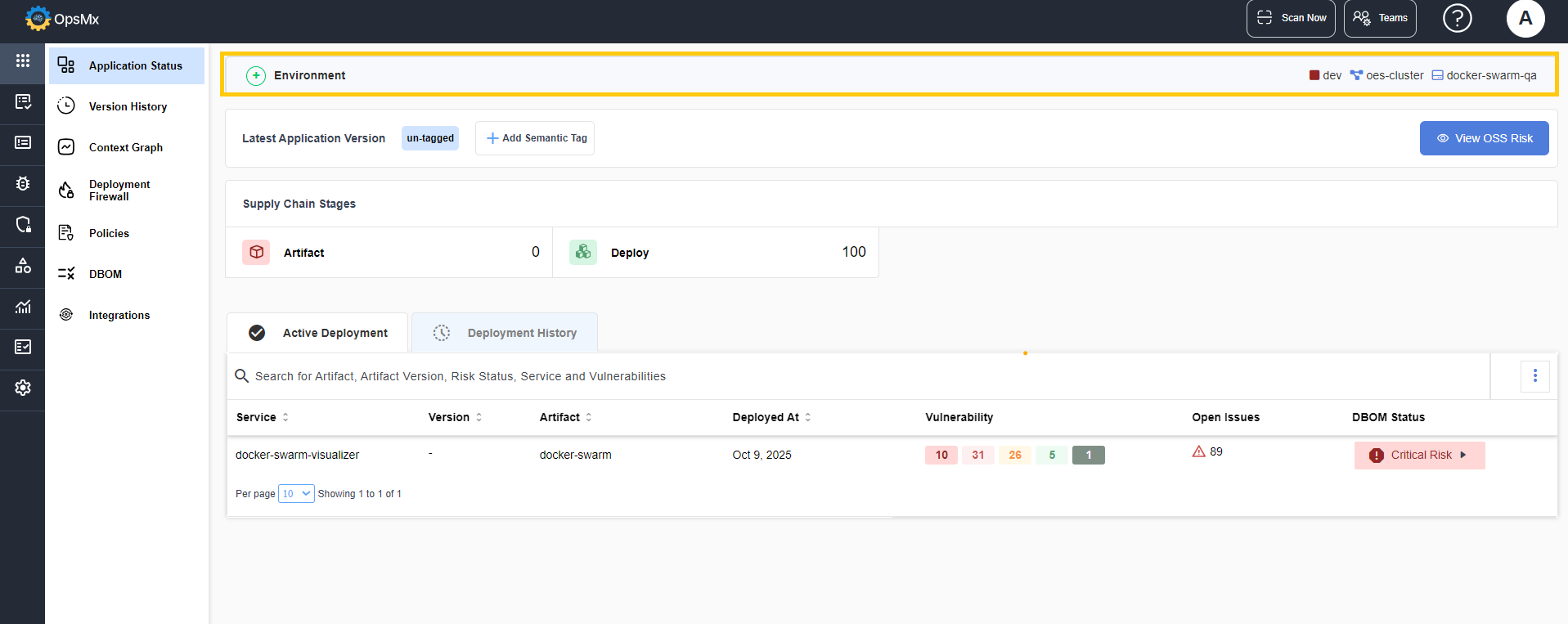
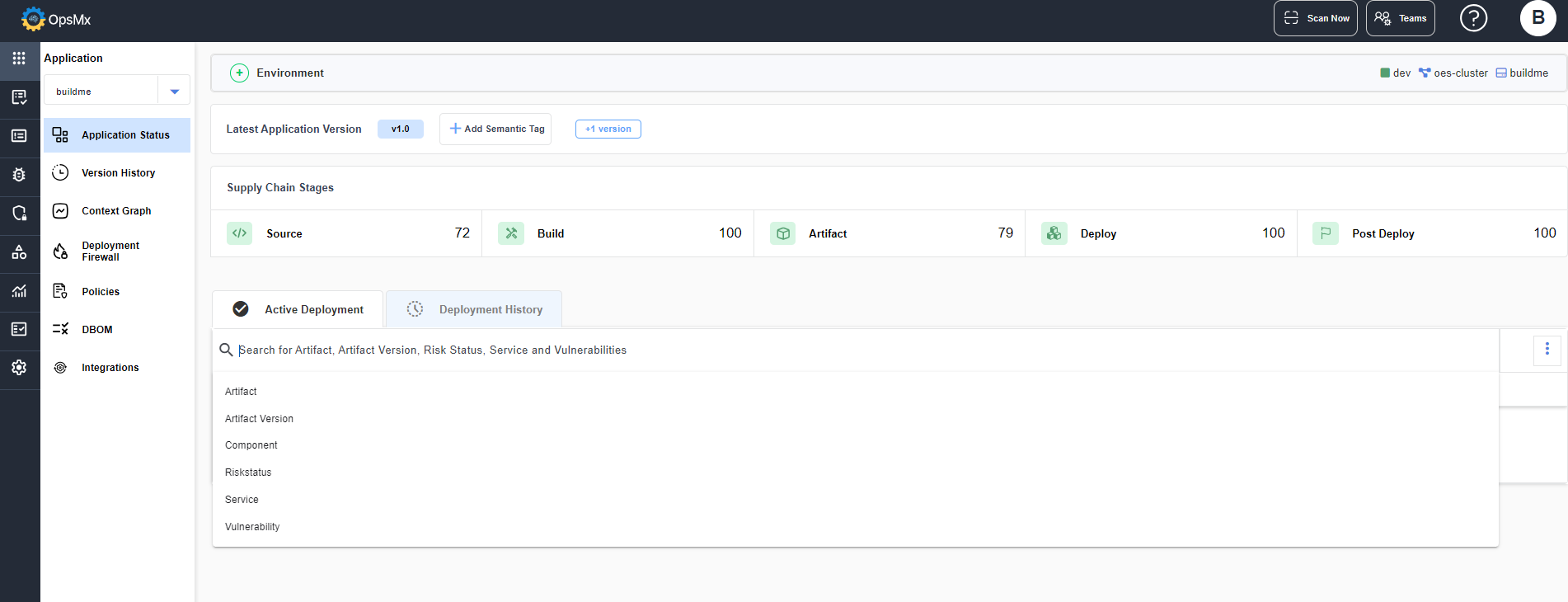
The Application Status page displays the following details of the application.
* Environment
* Supply Chain Stages
* Active Deployments and Deployment History
### Environment
The Environment panel displays the environment details in which the application is deployed, the namespace and cluster of the selected application.
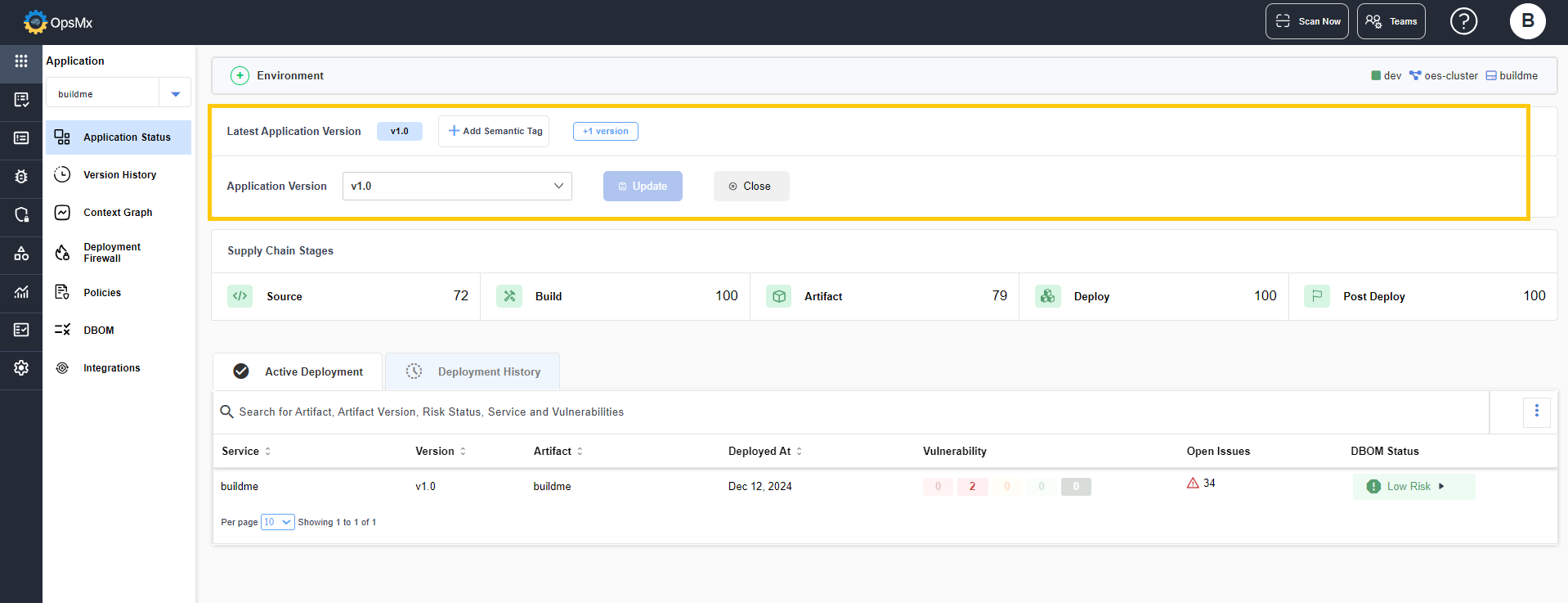
### Application Version
* **Latest Application Version -** This panel displays the latest version of the application. The version of the service that is updated lately is displayed as the application version.
* To add a new version number, click the **+ Add Semantic Tag** button. In the expanded row, select a version and click **Update**.
* The added new version gets updated as the application's latest version.
{% hint style="info" %}
The version cannot be updated individually for the services and can be done for the entire application only.
{% endhint %}
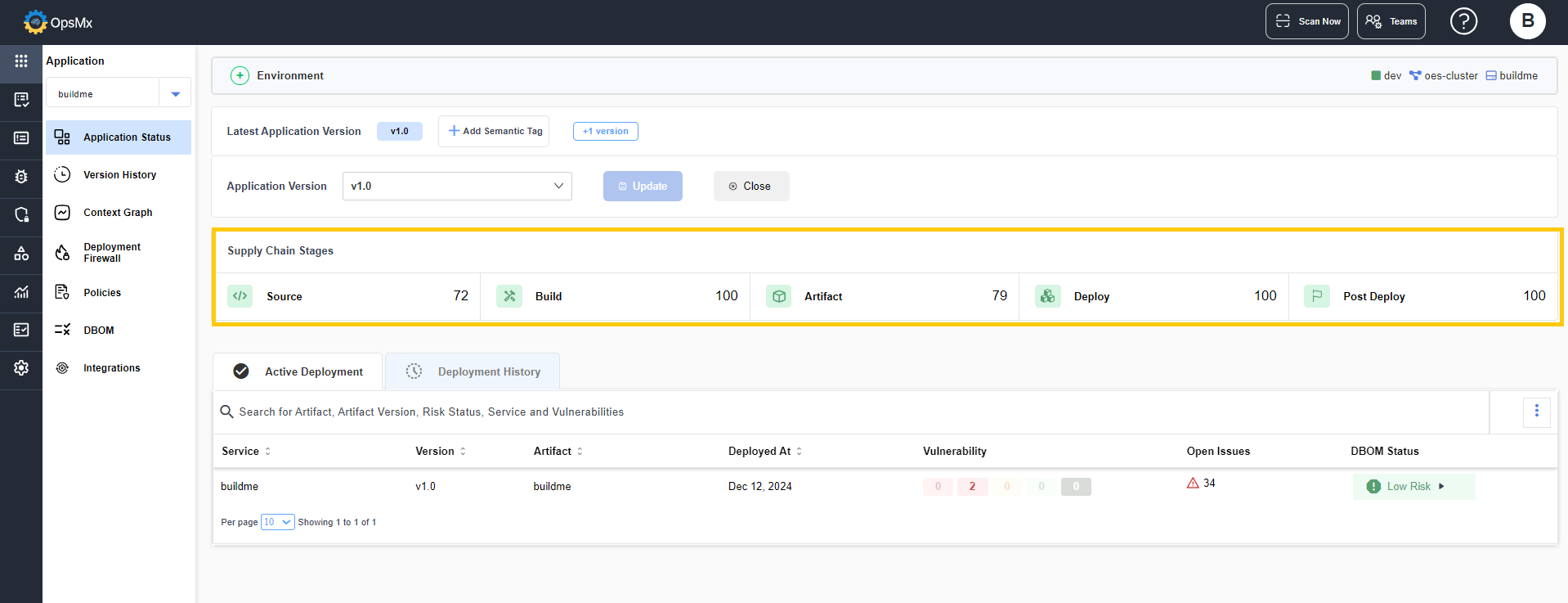
### **Supply Chain Stages**
This panel displays the security score of the application in each stages of the software supply chain namely **Source**, **Build**, **Artifact** and **Deploy**.
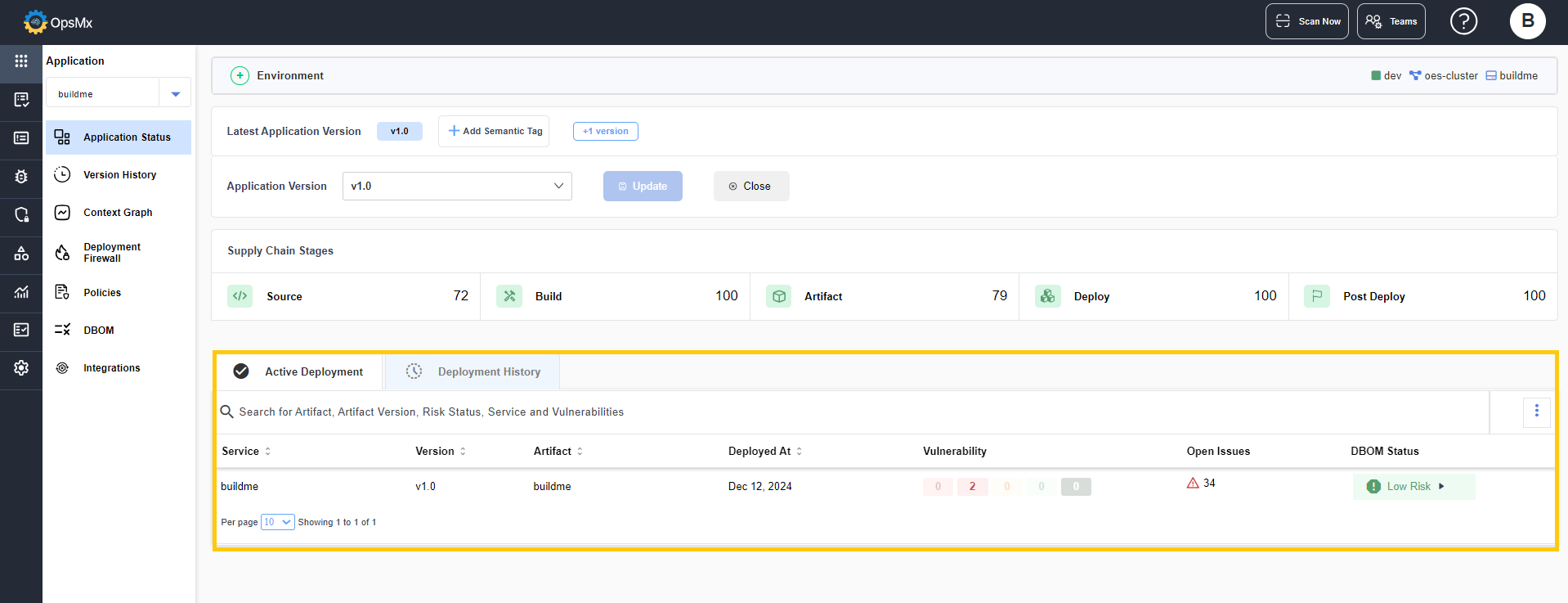
### Deployment History
The panel at the bottom displays the **Active Deployment** and **Deployment History** of the application.
The following details of the active deployments are displayed:
* **Service -** Displays the name of the service of the application.
* **Version -** Displays the version of the selected application.
* **Artifact -** Displays the name of the artifact in which the service is deployed.
* **Deployed At -** Displays the date and time of the deployment.
* **Vulnerability -** Displays the count of the vulnerabilities.
* **Open Issues -** Displays the count of the open issues detected.
* **DBOM Status -** Displays the DBOM status of the service.
### Smart Search
The smart search option available in this page, helps you to search for a deployment based on the selected option.
* Select **Artifact, Artifact Version, Component, Risk status, Service** or **Vulnerability** from the search dropdown and enter the name.
* Press **Enter.**
The services with the given component or vulnerability are displayed.