> For the complete documentation index, see [llms.txt](https://docs.opsmx.com/llms.txt). Markdown versions of documentation pages are available by appending `.md` to page URLs; this page is available as [Markdown](https://docs.opsmx.com/ssd/security-risk-and-prioritization/getting-started/integration-with-kubernetes-cluster.md).
# Integration with Kubernetes Cluster
Delivery Shield offers continuous monitoring of your Kubernetes cluster, by detecting the changes in the application deployments in real-time. For each change, Delivery Shield evaluates specific security policies and can prevent actions that violate these policies. By using the secure Kube-detector agent, Delivery Shield ensures constant oversight of your cluster. Additionally, Delivery Shield leverages the open-source tool Kubescape to analyze your cluster’s security posture. Before any deployment, Kubescape’s scan results are reviewed to ensure your Kubernetes cluster is secure and compliant with the industry standards like CIS benchmarks.
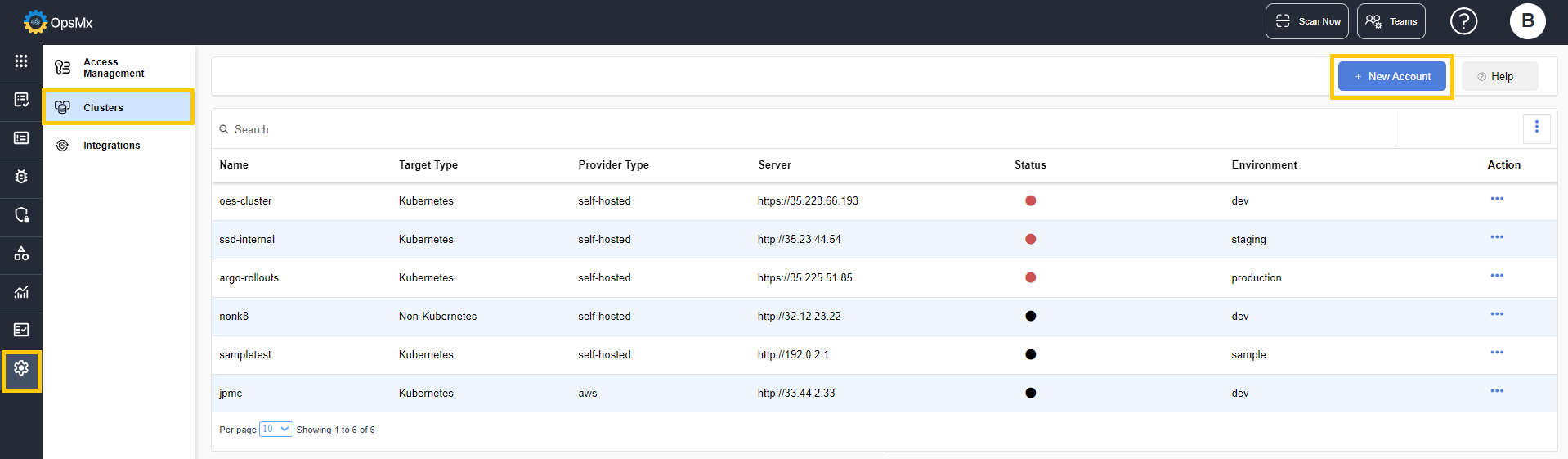
The Cluster tab is used to manage the clusters to which your applications are getting deployed.
### To Add a Cluster
To add a new cluster, follow the steps given below:
1. Navigate to **Setup** > **Cluster**.
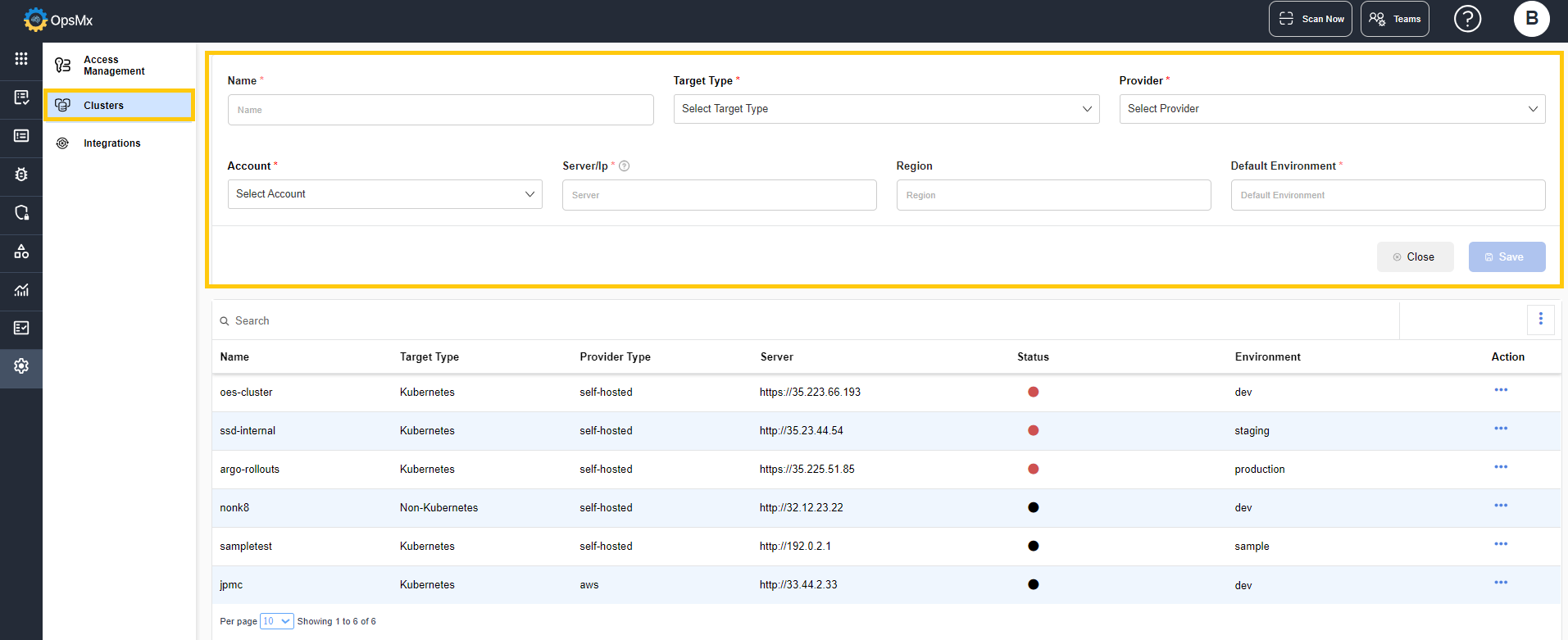
2. Click on the **+New Account** button. The **Create Cluster** page is displayed.
3. Enter the values for the fields that are displayed.
* **Name** - Enter a name for the cluster.
* **Target Type** - Select the target type.
* **Kubernetes** - Choose this option if, the deployment target is hosted on kubernetes.
* **Non-Kubernetes** - Choose this option if, the target deployment is hosted on any other tool other that kubernetes.
* **Account Name** - Enter the name of the account created in the cluster space.
* **Server / IP** - Enter the IP or server address given in the cluster config file.
* **Default Environment** - Enter the environment name, in which the cluster is being deployed. Eg: Dev or QA.
4. Click **Save**. The cluster is created and gets listed in the Cluster details page.