> For the complete documentation index, see [llms.txt](https://docs.opsmx.com/llms.txt). Markdown versions of documentation pages are available by appending `.md` to page URLs; this page is available as [Markdown](https://docs.opsmx.com/risk-assessment-and-prioritization/global-risk-management/cloud-security.md).
# Cloud Security
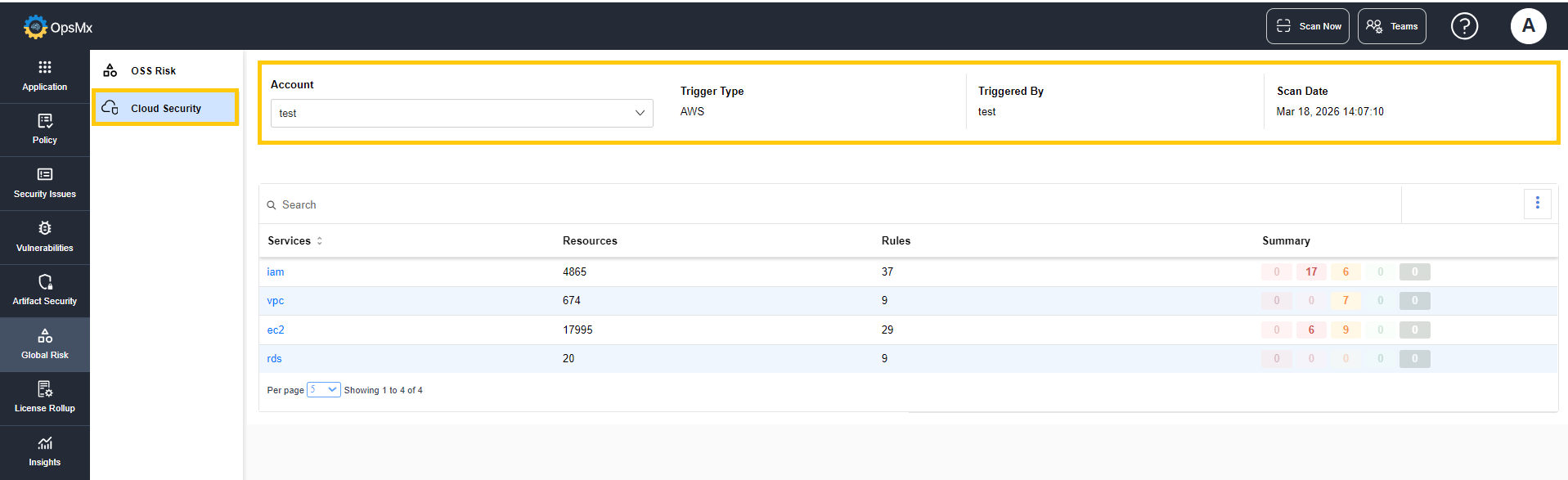
The **Cloud Security Risk Summary** page provides a consolidated view of security findings across the cloud services for a selected account. It helps users quickly assess risk distribution and identify services requiring immediate attention.
## To Access Cloud Security
Navigate to **Global Risk** > **Cloud Security**.
The top panel displays the metadata related to the executed scan:
* **Account -** Indicate the cloud account on which the scan is performed.
* **Trigger Type -** Indicates how the scan was initiated (e.g., AWS integration).
* **Triggered By -** Indicates whether the user or system that initiated the scan.
* **Scan Date -** Indicates the timestamp of when the scan was executed.
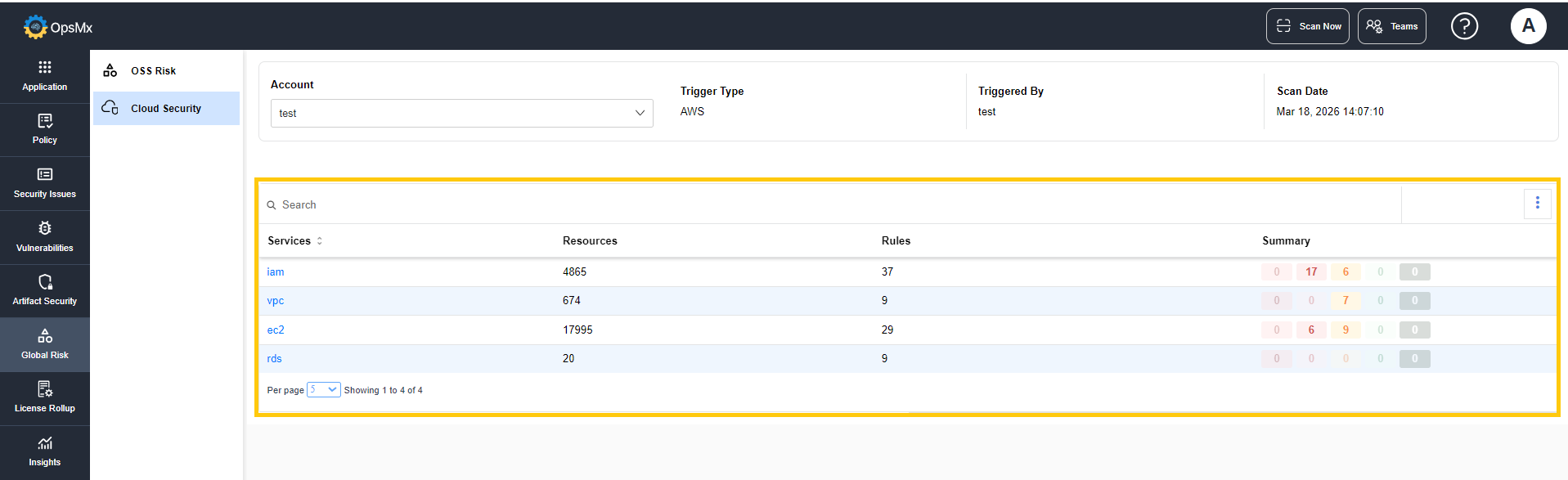
The column below displays the details of the cloud services evaluated during the scan.
* **Services** - Displays the name of the cloud service evaluated during the scan.
* **Resources** - Displays the number of resources evaluated during the scan.
* **Rules** - Displays the number of security or compliance rules applied to evaluate the resources within each service.
* **Summary** - Displays the number of security alerts identified during the scan.
## To Access Remediation in Cloud Security
Delivery Shield integrates CSPM (Cloud Security Posture Management) remediation, letting teams detect cloud security misconfigurations and generate automated fixes for them — directly from the findings, without switching to external cloud consoles or separate remediation tools.
* Navigate to Global Risk > Cloud Security.
* Select the cloud service for which you want to apply remediation and click on it.
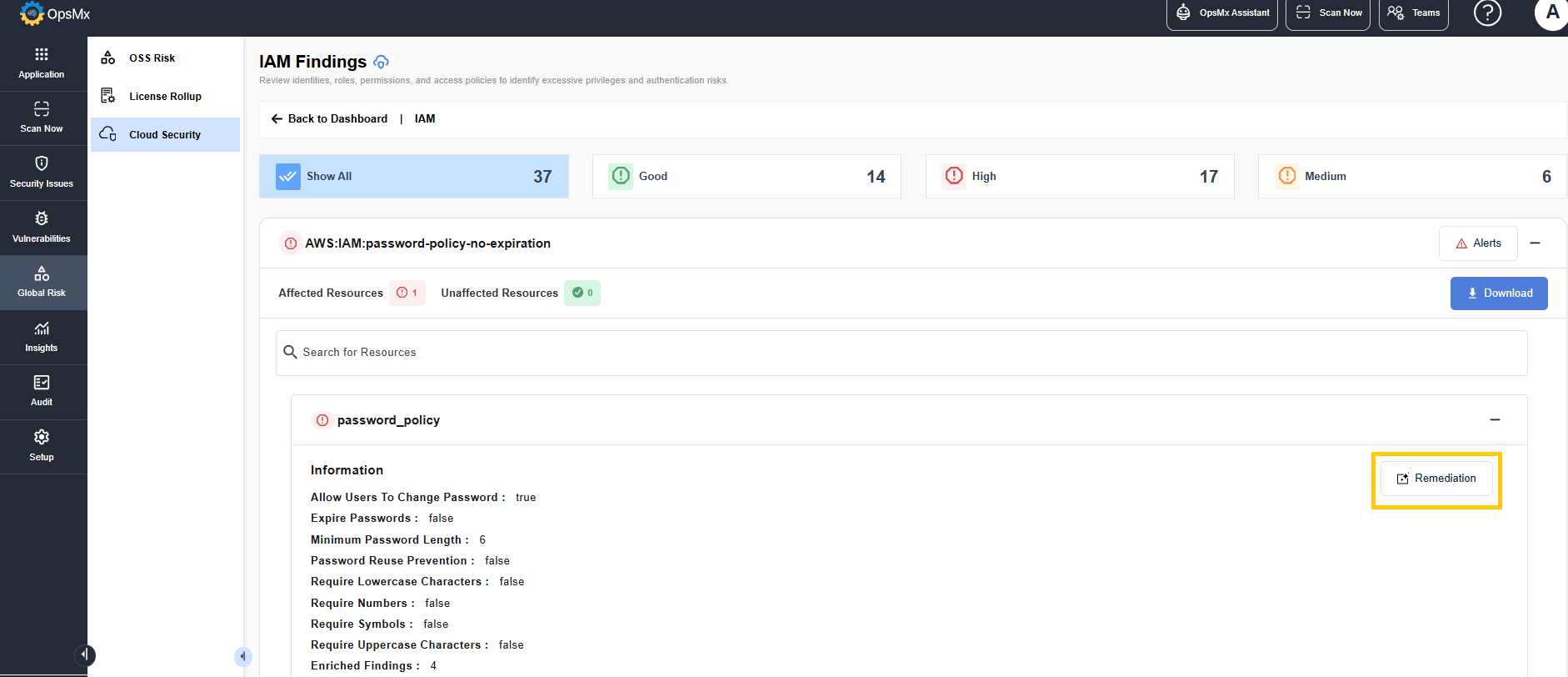
* The Findings page is displayed.
* Expand the Affected Resources section.
* Expand the affected resource for which you want to apply remediation.
* Click Remediation.
* A detailed analysis is provided, covering:
* Overview — summary of the vulnerability and affected component.
* Fix Plan — recommended remediation approach.
* Remediation — the actionable fix, ready to apply.
\
 * The Findings page is displayed.
* Expand the Affected Resources section.
* Expand the affected resource for which you want to apply remediation.
* Click Remediation.
* The Findings page is displayed.
* Expand the Affected Resources section.
* Expand the affected resource for which you want to apply remediation.
* Click Remediation.
 * A detailed analysis is provided, covering:
* Overview — summary of the vulnerability and affected component.
* Fix Plan — recommended remediation approach.
* Remediation — the actionable fix, ready to apply.
* A detailed analysis is provided, covering:
* Overview — summary of the vulnerability and affected component.
* Fix Plan — recommended remediation approach.
* Remediation — the actionable fix, ready to apply.
 \
\