# Cloud Security
The **Cloud Security Risk Summary** page provides a consolidated view of security findings across the cloud services for a selected account. It helps users quickly assess risk distribution and identify services requiring immediate attention.
## To Access Cloud Security
Navigate to **Global Risk** > **Cloud Security**.
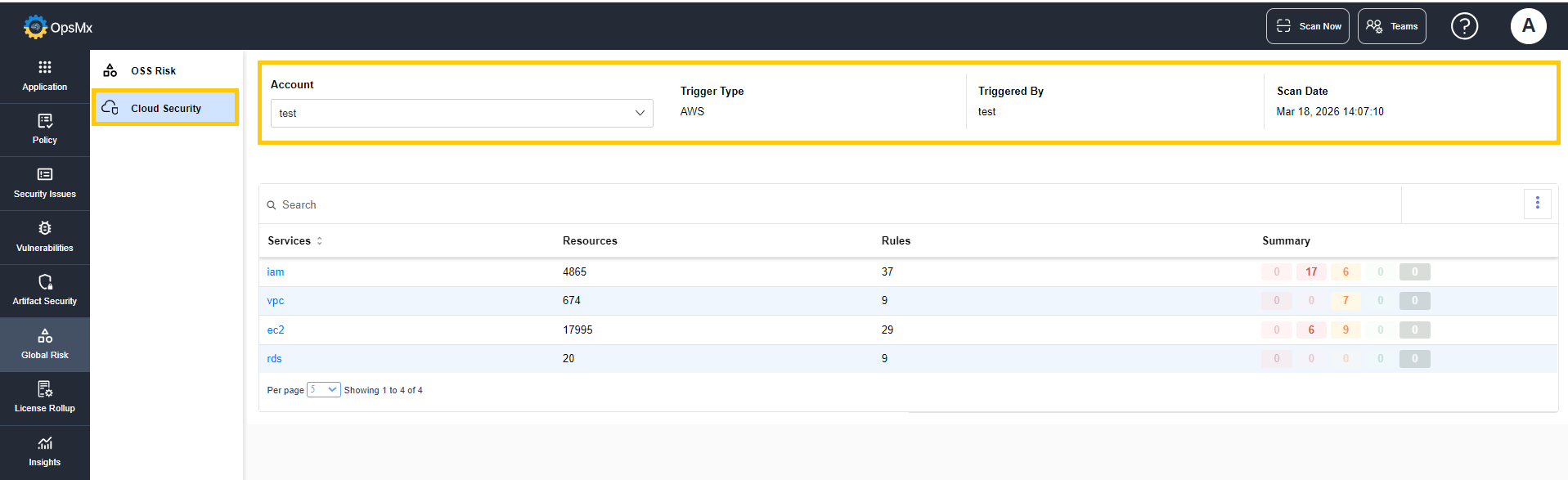
The top panel displays the metadata related to the executed scan:
* **Account -** Indicate the cloud account on which the scan is performed.
* **Trigger Type -** Indicates how the scan was initiated (e.g., AWS integration).
* **Triggered By -** Indicates whether the user or system that initiated the scan.
* **Scan Date -** Indicates the timestamp of when the scan was executed.
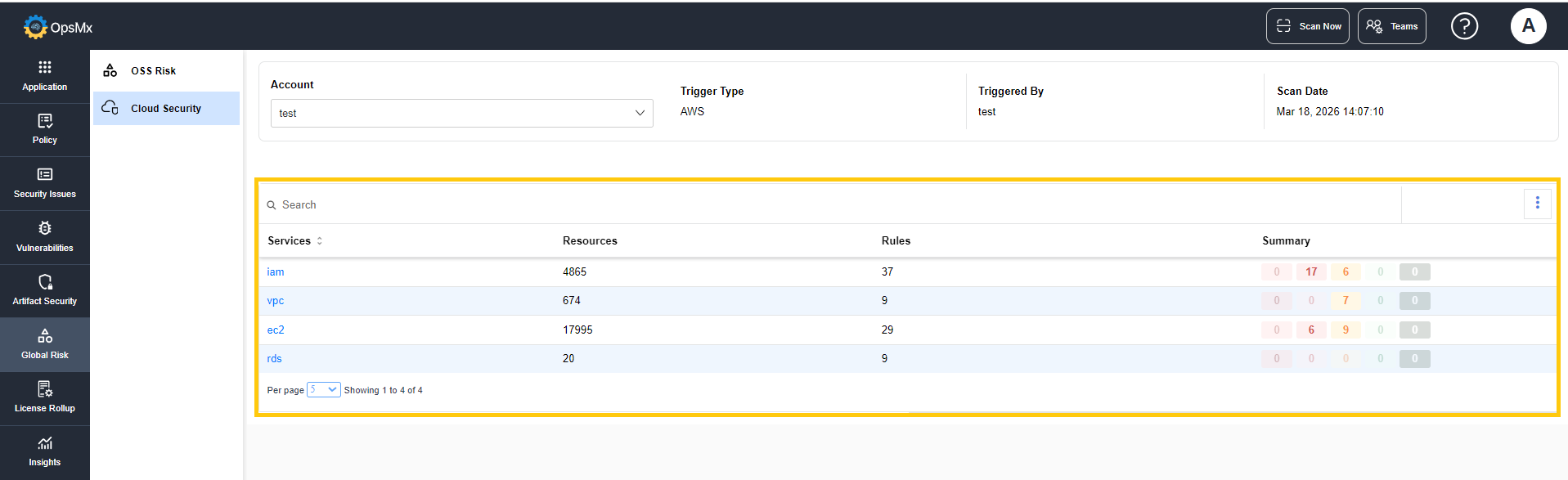
The column below displays the details of the cloud services evaluated during the scan.
* **Services** - Displays the name of the cloud service evaluated during the scan.
* **Resources** - Displays the number of resources evaluated during the scan.
* **Rules** - Displays the number of security or compliance rules applied to evaluate the resources within each service.
* **Summary** - Displays the number of security alerts identified during the scan.