> For the complete documentation index, see [llms.txt](https://docs.opsmx.com/llms.txt). Markdown versions of documentation pages are available by appending `.md` to page URLs; this page is available as [Markdown](https://docs.opsmx.com/isd-spinnaker/opsmx-intelligent-software-delivery-isd-platform-spinnaker/user-guide/manage-pipelines/view-and-restore-pipeline.md).
# View and Restore Pipeline
### **Viewing and Restoring Pipeline Versions**
Whenever you make a change and save the pipeline, a new version is created and added to the version history. You can view the version history and if necessary, restore an older version.
{% hint style="info" %}
**Note**: Version history is not supported in Minio or Redis storage devices.
{% endhint %}
Follow the steps below to view and restore the versions:
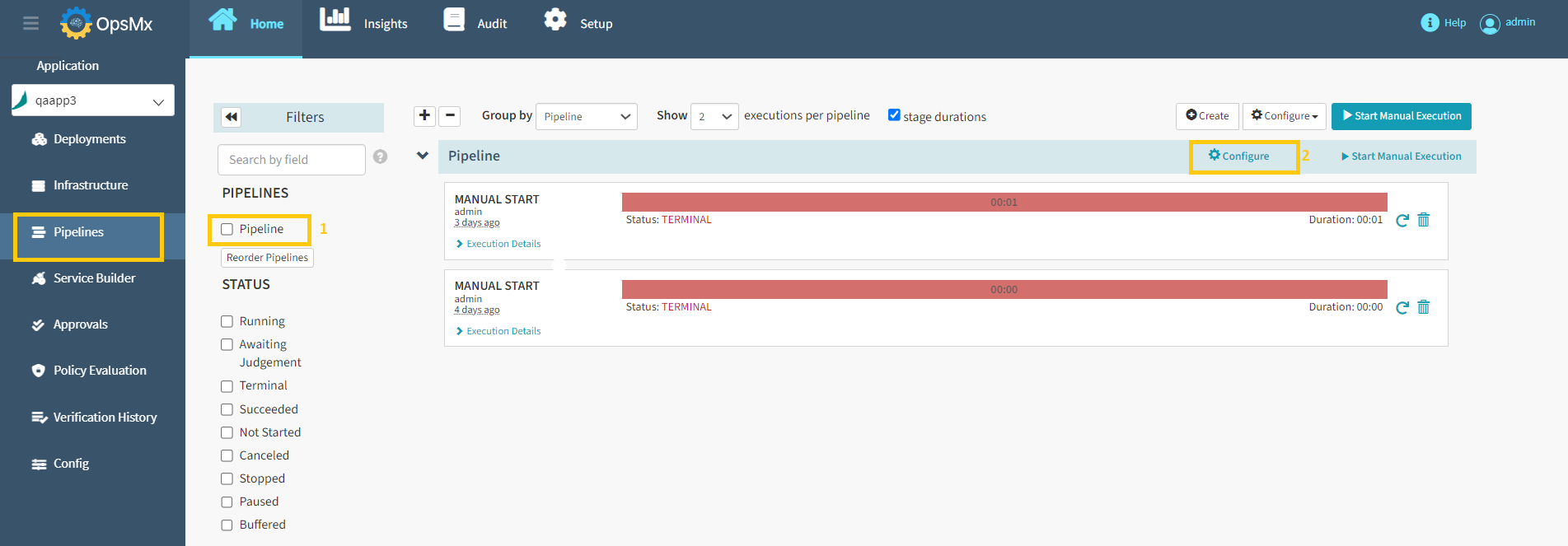
1. Click on the application from the [**application dashboard**](https://docs.opsmx.com/user-guide/dashboard/application-dashboard)**.** The **Pipelines** page with the details of all the pipelines for the selected application is displayed.
2. Select the **Pipeline** to be disabled and click **Configure.**
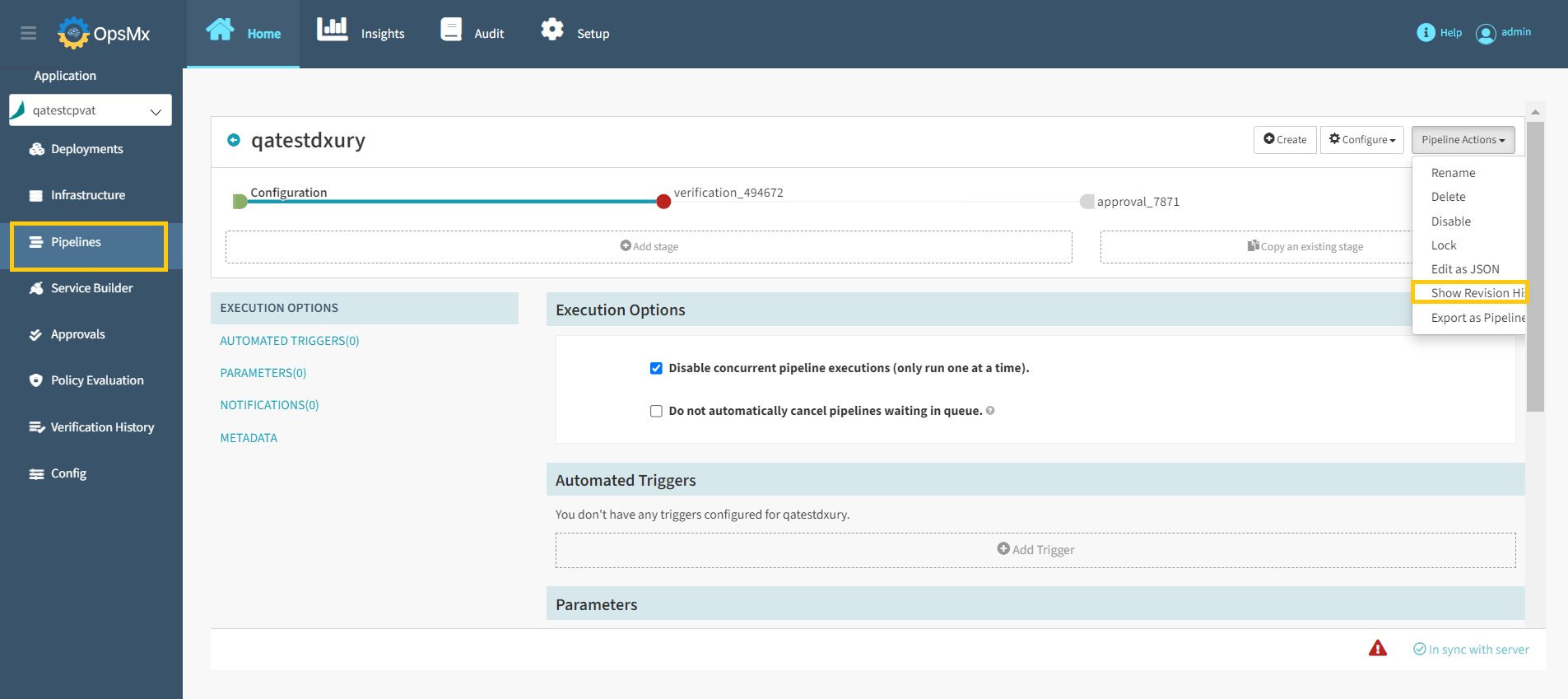
3. Select **Show Revision History** from the **Pipeline Actions** drop-down as shown below.
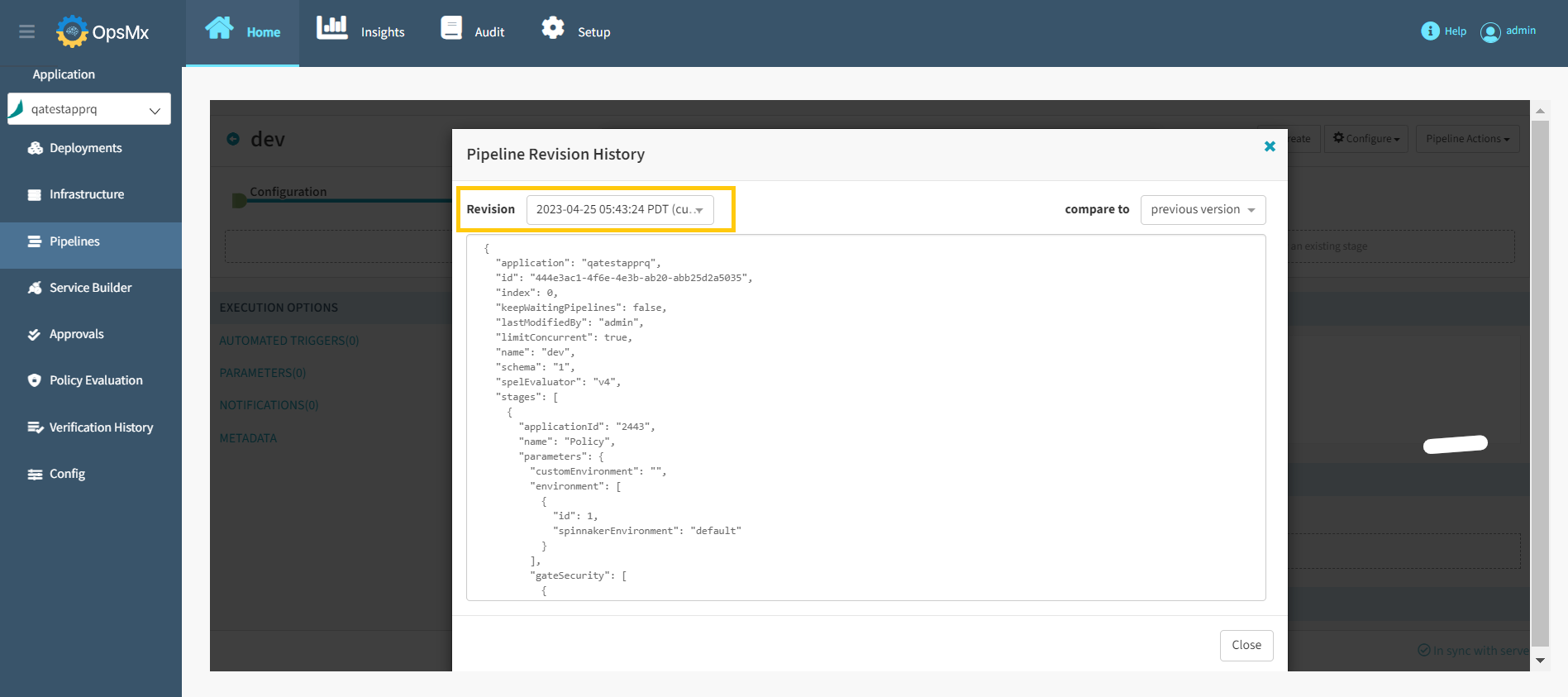
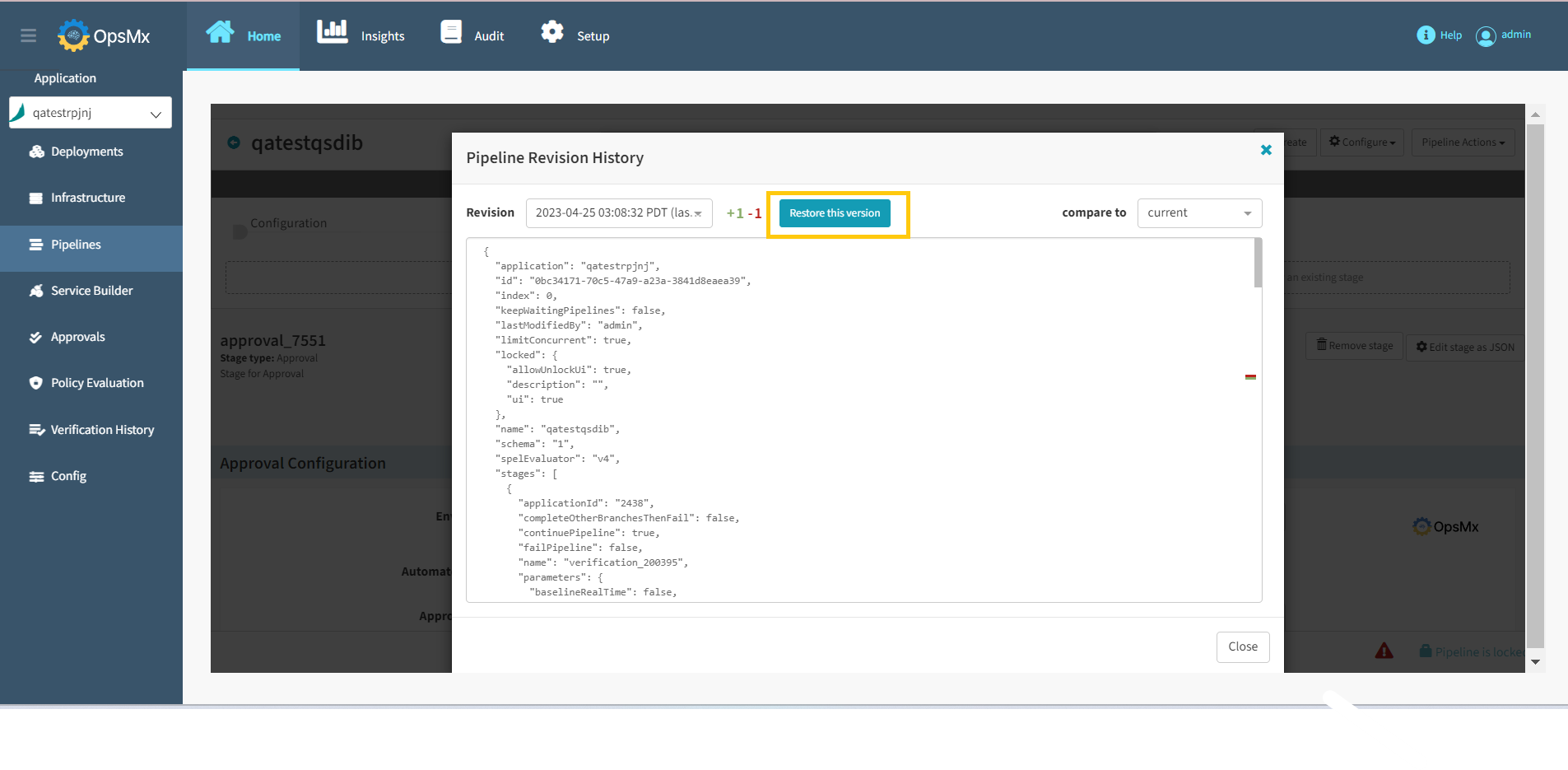
3\. A window appears, displaying the current version's JSON representation. Click the **Revision** drop-down to see the older versions as shown below.
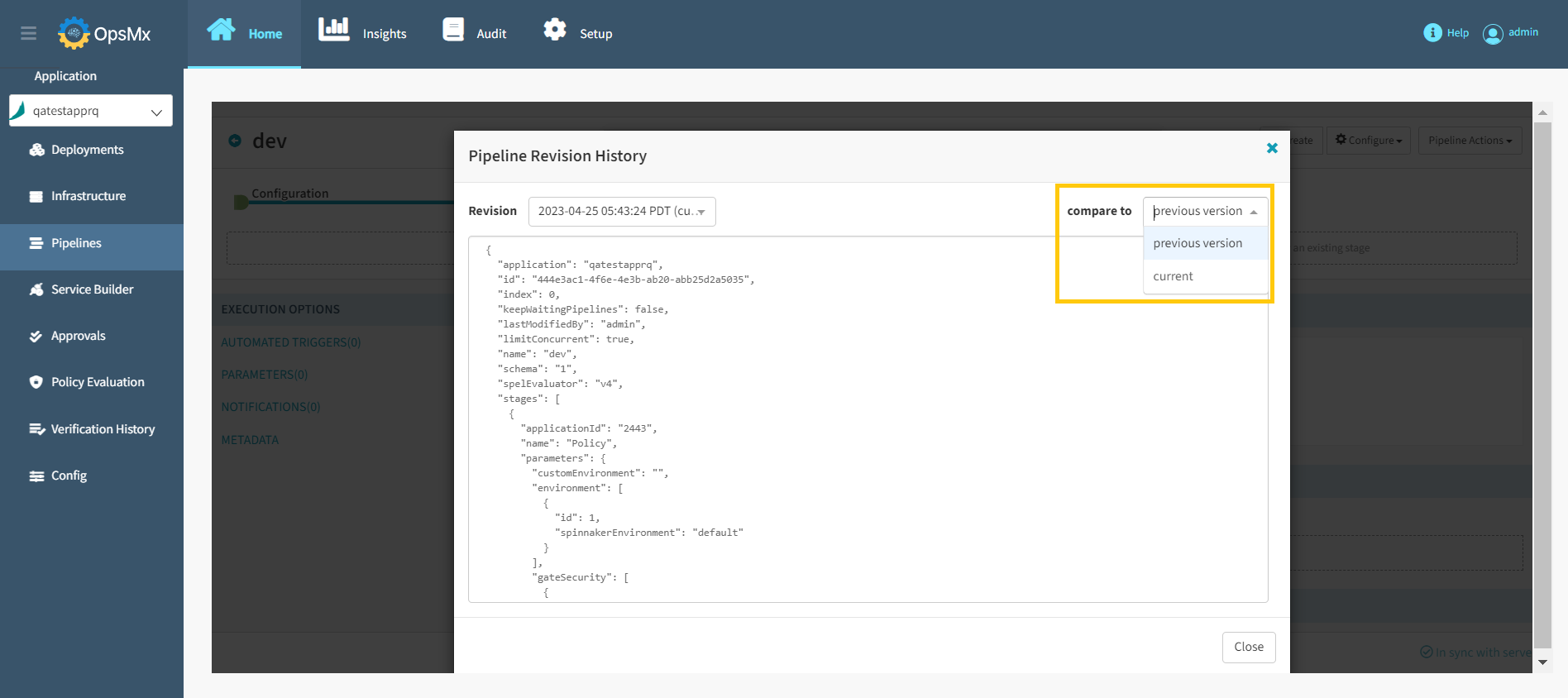
4\. If you want to compare to any version, select the **compare to** from drop-down menu as shown below.
5\. To restore to the selected version, click **Restore this version** as shown below.
The pipelien is restored to the selected version.