> For the complete documentation index, see [llms.txt](https://docs.opsmx.com/llms.txt). Markdown versions of documentation pages are available by appending `.md` to page URLs; this page is available as [Markdown](https://docs.opsmx.com/isd-spinnaker/opsmx-intelligent-software-delivery-isd-platform-spinnaker/user-guide/manage-pipelines/lock-pipeline.md).
# Lock Pipeline
If you lock a pipeline it will prevent any modifications to the pipeline from the UI. You can still modify the pipeline using the API. Follow the steps below to lock a pipeline.
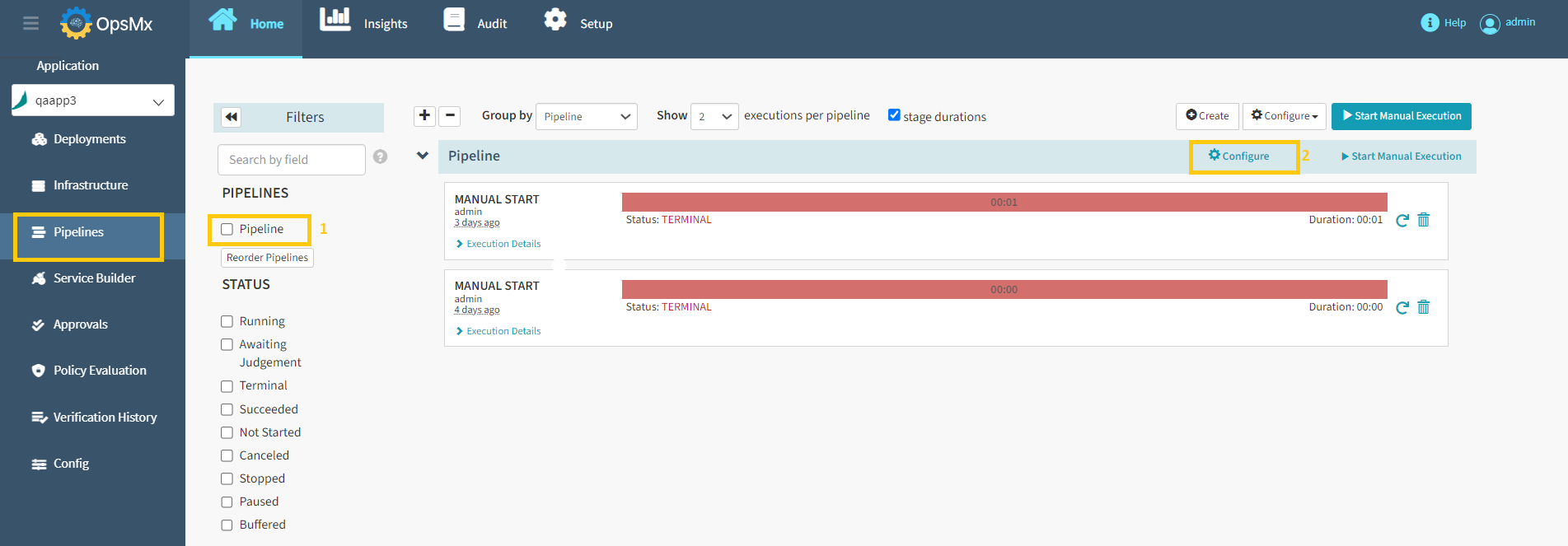
1. Click on the application from the [**application dashboard**](https://docs.opsmx.com/user-guide/dashboard/application-dashboard)**.** The **Pipelines** page with the details of all the pipelines for the selected application is displayed.
2. Select the **Pipeline** to be disabled and click **Configure.**
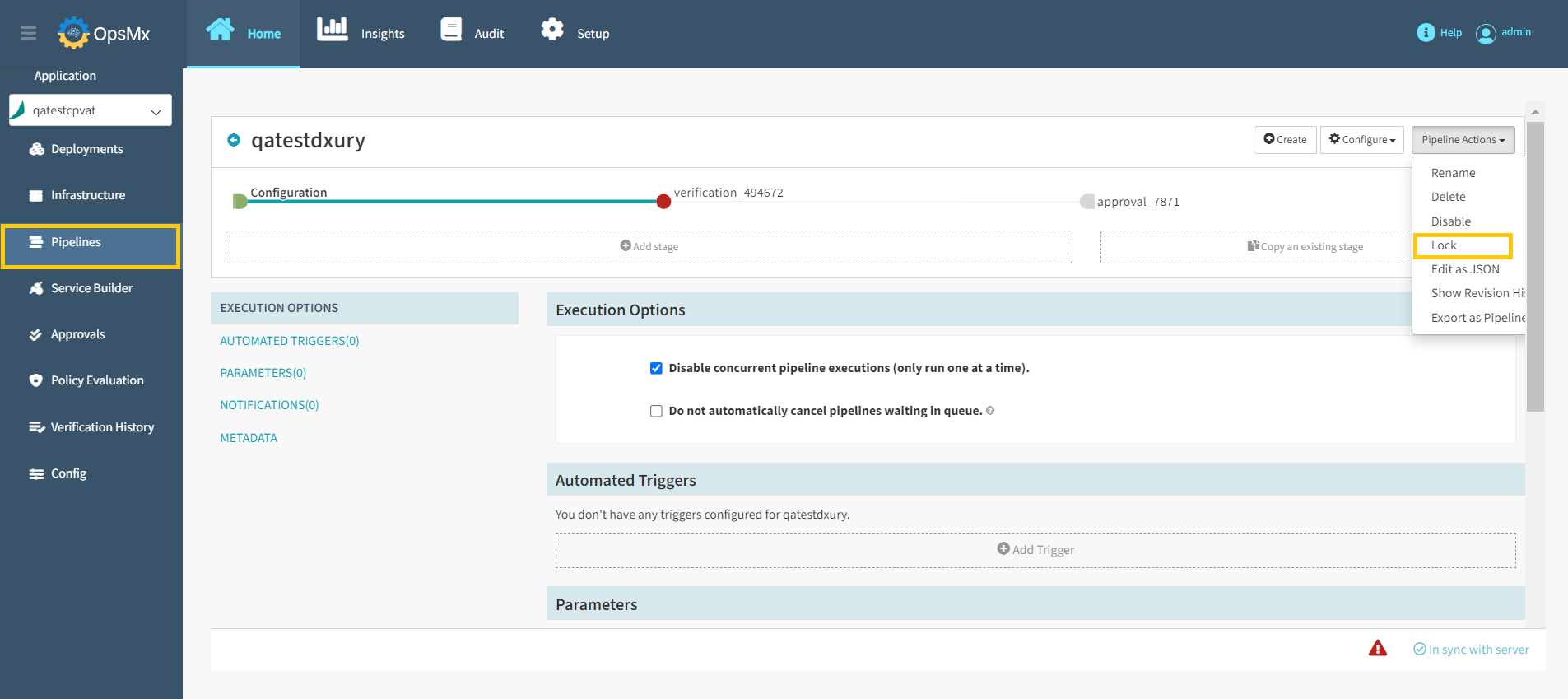
3. Select **Lock** option from the **Pipeline Actions** drop-down as shown below.
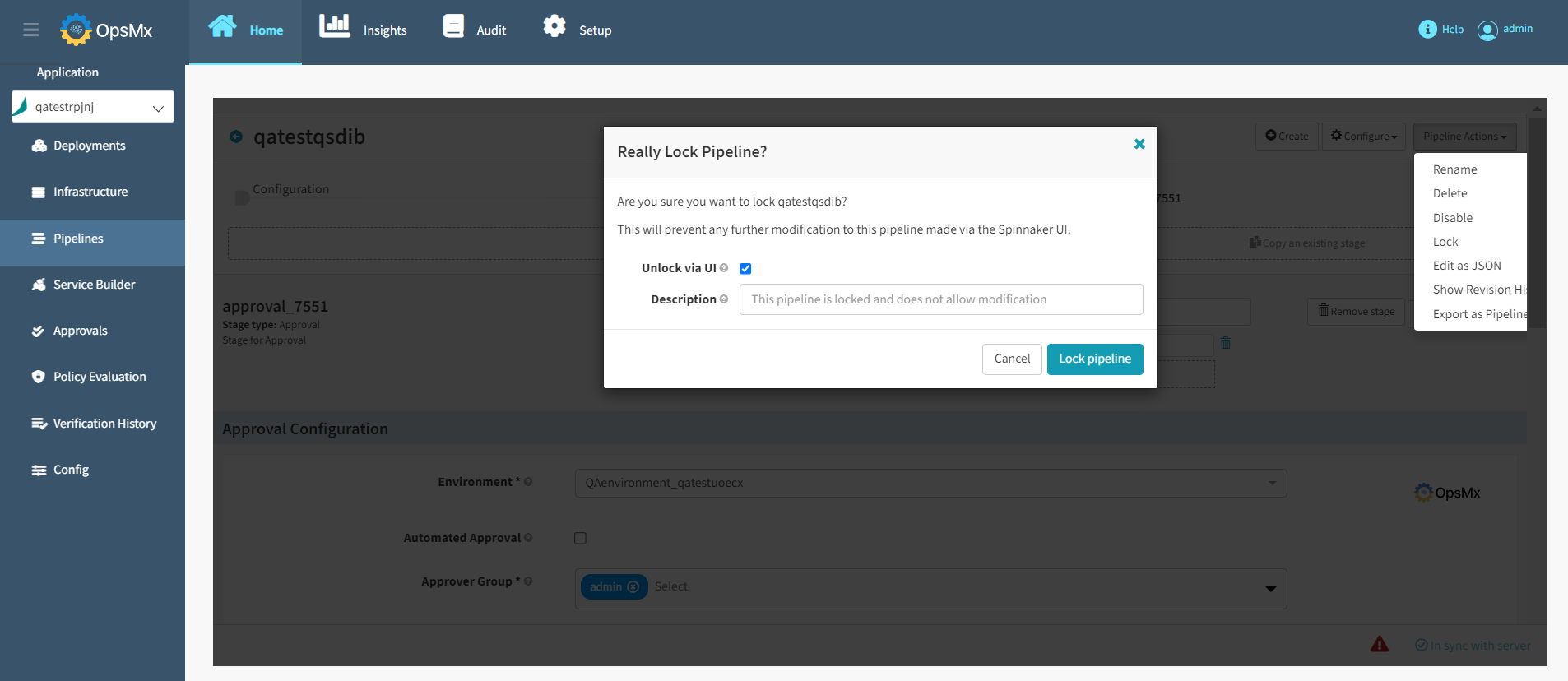
3\. A confirmation screen as shown appears to confirm your pipeline lock request. Make sure that you have selected the correct pipeline name and update the description of why this pipeline is locked and click **Lock pipeline**.
{% hint style="info" %}
**Note: After clicking Lock Pipeline, this pipeline will be locked and cannot be modified.**
{% endhint %}
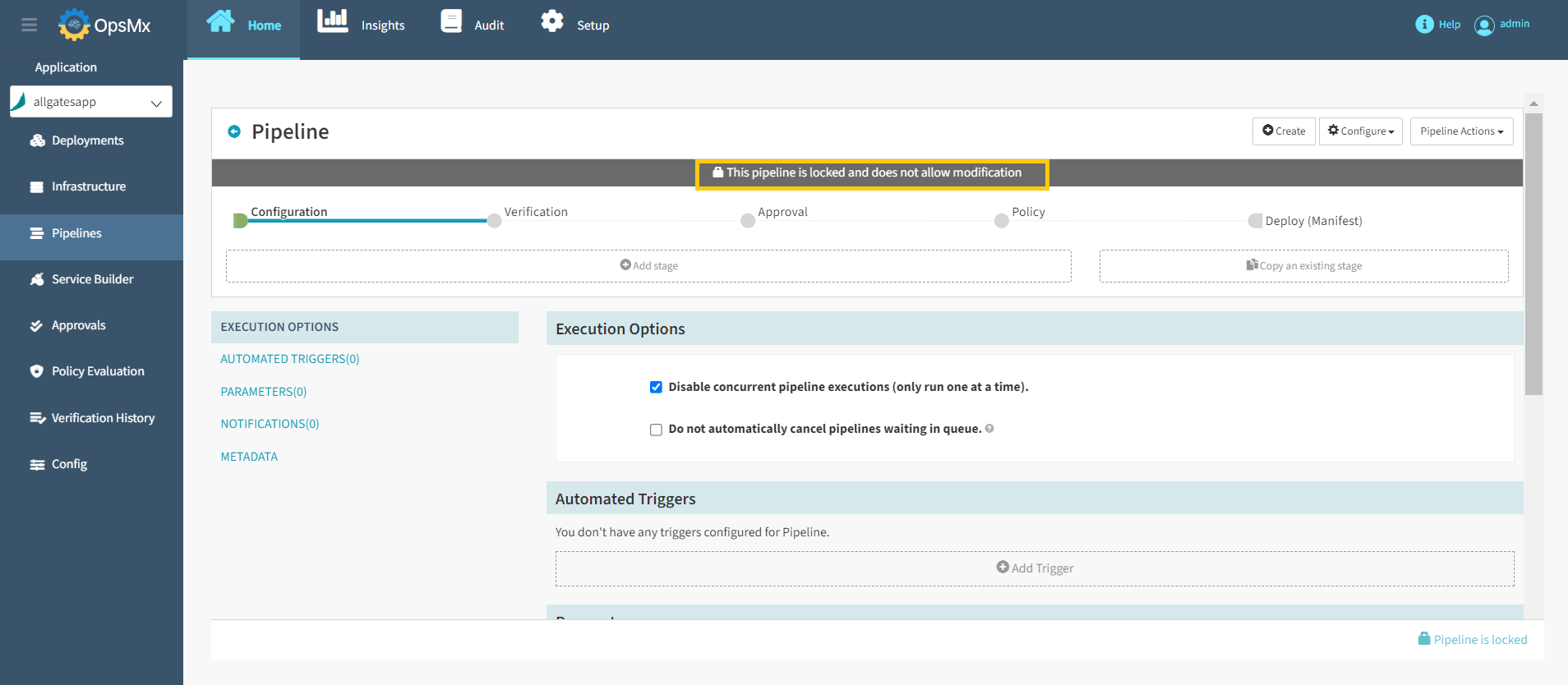
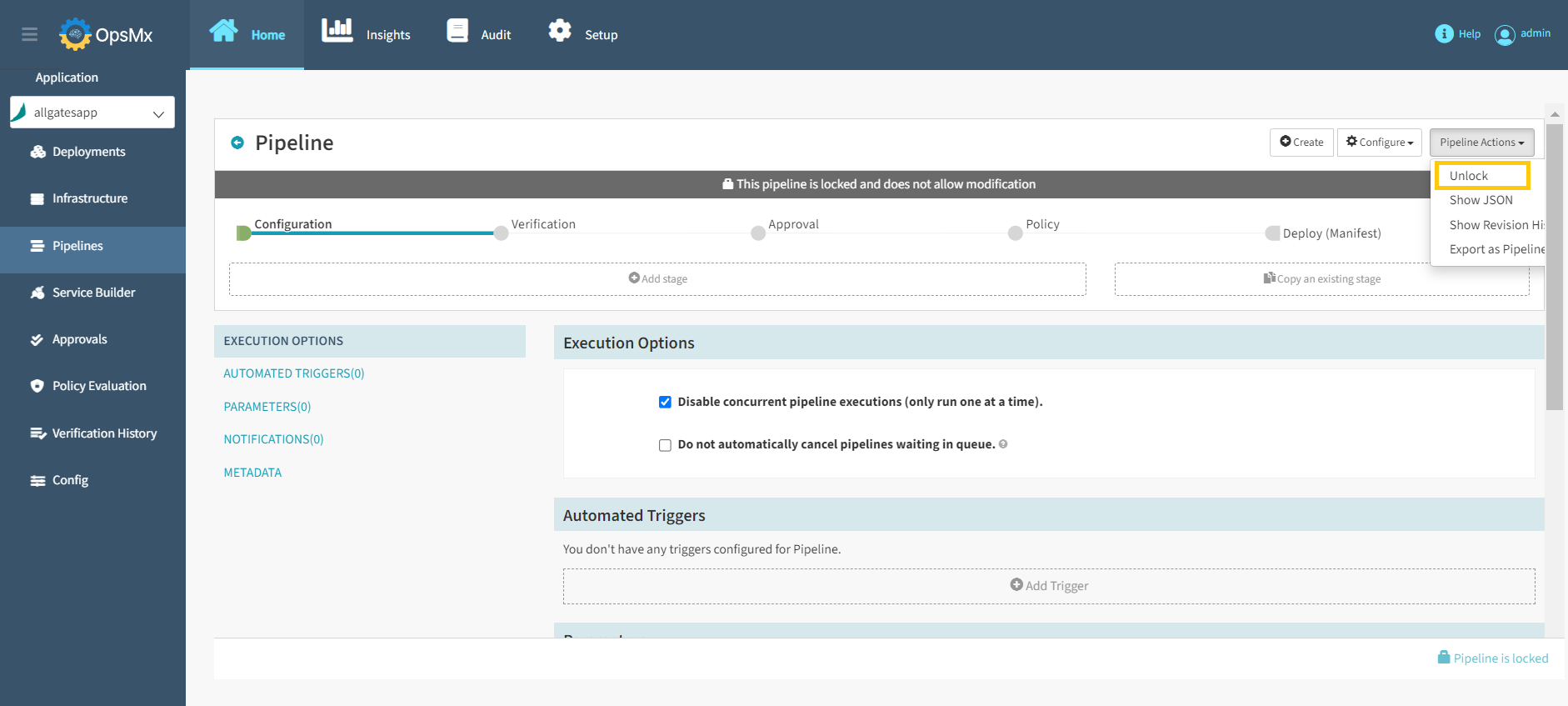
4\. Now the selected pipeline is locked and a message **This pipeline is locked and does not allow modification** appears as shown in the image below.
5\. To unlock the locked pipelines, **Unlock** option appears in the **Pipeline Actions** drop-down as shown in the image below.