> For the complete documentation index, see [llms.txt](https://docs.opsmx.com/llms.txt). Markdown versions of documentation pages are available by appending `.md` to page URLs; this page is available as [Markdown](https://docs.opsmx.com/isd-spinnaker/opsmx-intelligent-software-delivery-isd-platform-spinnaker/user-guide/manage-pipelines/execute-pipelines-run-deployments/manual-approval-before-deployment.md).
# Manual Approval before deployment
A Manual Judgment is a stage you can add to a Spinnaker Pipeline whenever you require Human intervention in the process. If you want to have a human verify the deployment before it takes place, then a user can add a manual judgment stage before deployment.
To add a manual Judgment stage:
1. **Go to** [**Application Dashboard**](https://docs.opsmx.com/user-guide/dashboard/application-dashboard): When you log in to ISD the application dashboard is displayed with the list of applications. You can create a new application also as given in [**create a new application**](https://docs.opsmx.com/release-history/previous-releases/isd-4.0/knowledge-base/manage-application/create-an-application).
2. Click on the application for which you want to build this pipeline.

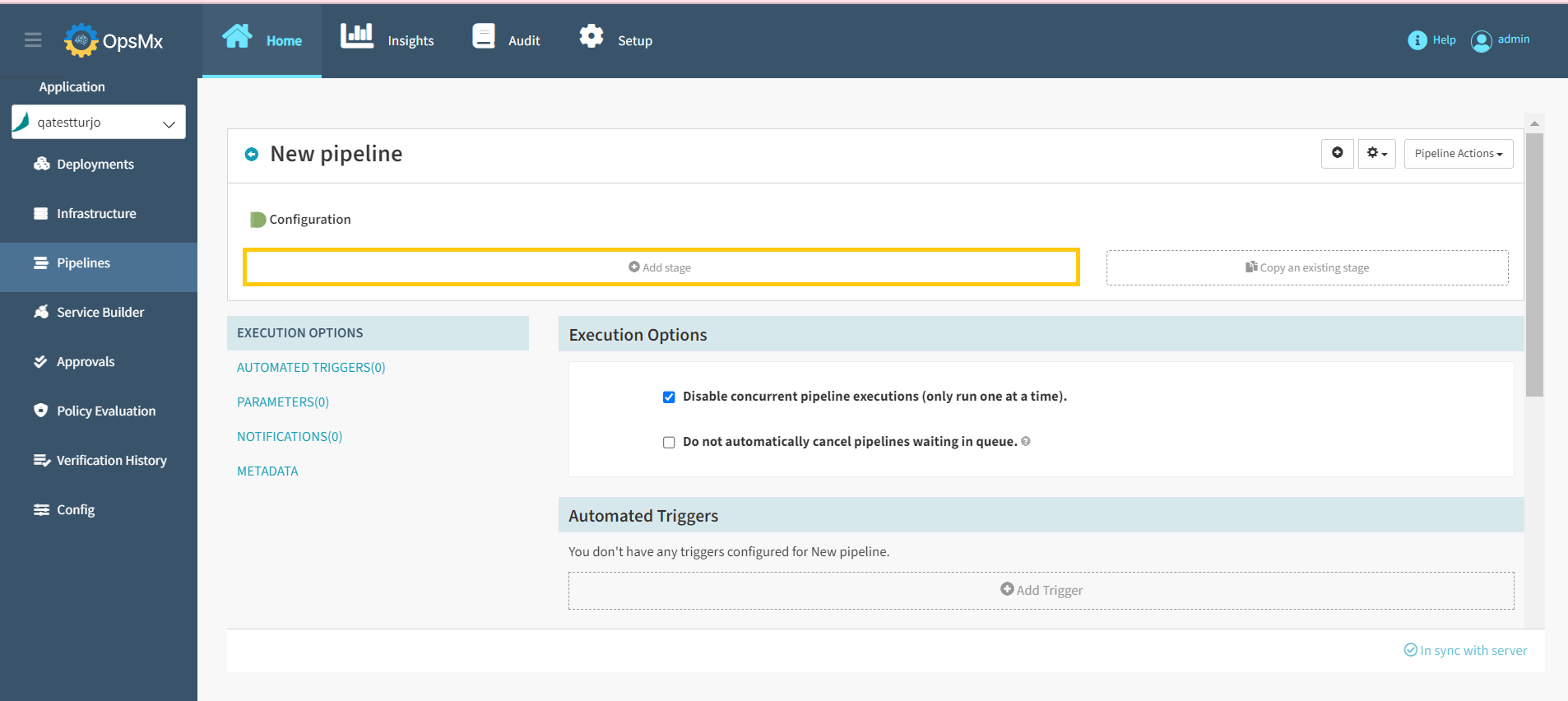
3. **Pipelines:** Once you click on an application, it will redirect you to the **Pipelines** page. Click **+Create** button to [**create a new pipeline**](https://docs.opsmx.com/release-history/previous-releases/isd-4.0/knowledge-base/manage-pipelines/create-a-pipeline). Users can also view the existing pipelines displayed on the left.
4. **Click on** [**Add stage**](https://docs.opsmx.com/user-guide/manage-pipelines/add-stage)**:** The add stage button is displayed below the diagrammatic representation of the created pipeline. When you click this button, you can select the different types of stages that ISD supports.
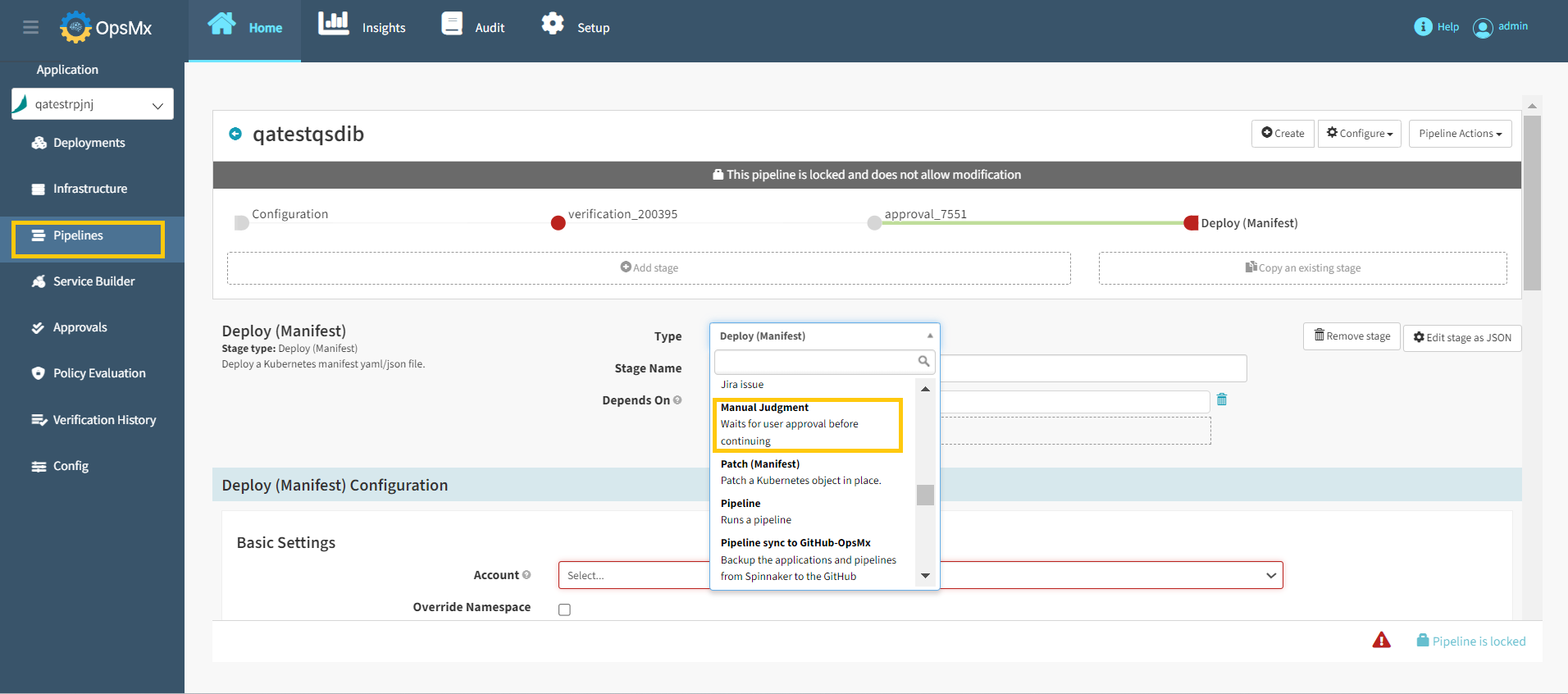
5. **Add manual Judgment stage**: Select **Manual Judgment** stage from the **Type** drop down. You should add each stage and configure them in a logical sequence as ISD does not permit downstream dependencies.
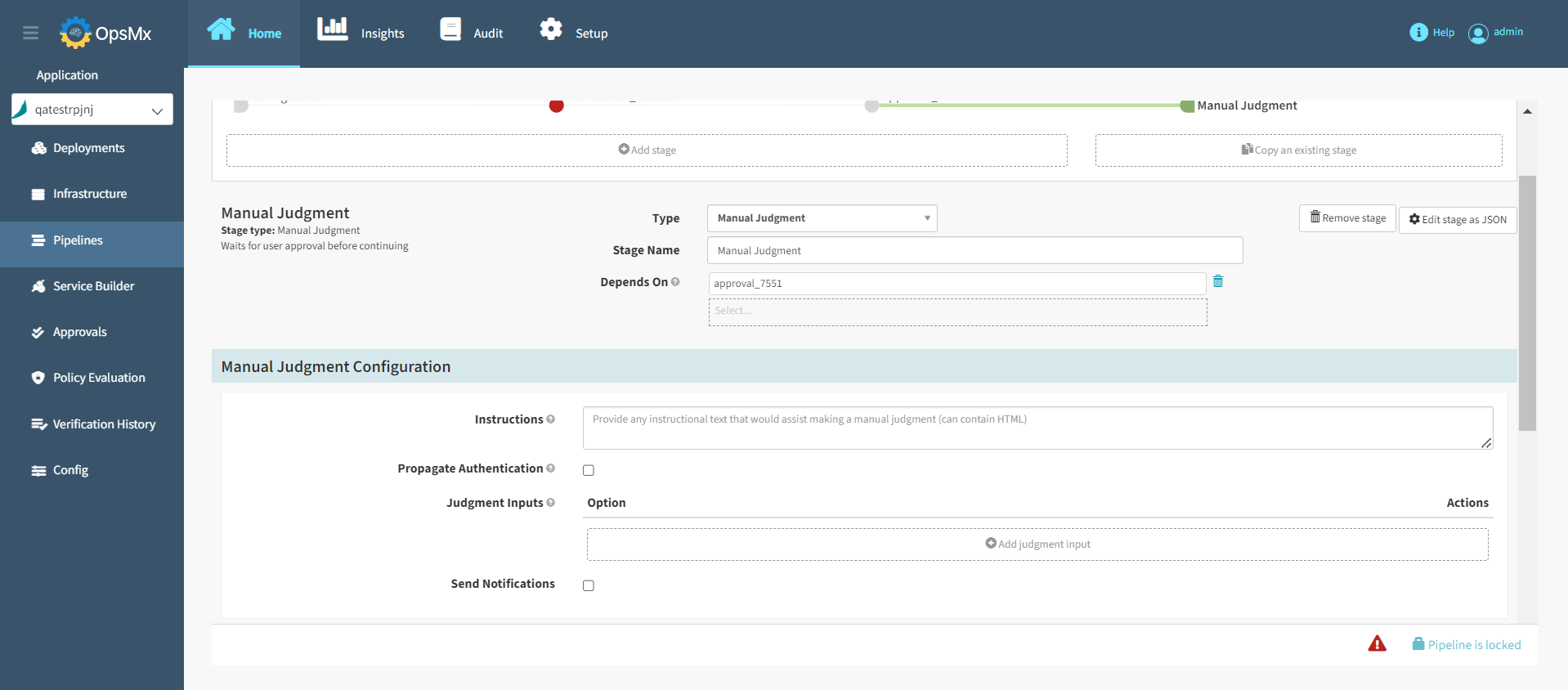
6. **Configure Manual Judgment:** Configuring the manual judgment stage allows you to define input options a user can give and how they might give them. Update the required details in the below screen and click **Save Changes**.
* **Instructions (Optional):** Provide any instructional text that would assist in making a manual judgment (can contain HTML). These Instructions are shown to the user when making a manual judgment.
* **Propagate Authentication:**
* **If Checked** - The pipeline will continue with the permissions of the approver.
* **If Unchecked** - The pipeline will continue with its current permissions.
* **Judgment Inputs (Optional)**: Entries populate a dropdown displayed when performing a manual judgment. The selected value can be used in a subsequent **Check Preconditions** stage to determine to branch. For example, if the user selects "rollback" from this list of options, that branch can be activated by using the expression: `execution.stages[n].context.judgmentInput=="rollback"`
* **Send Notifications (Optional)**: If you need an instant alert, check this box.
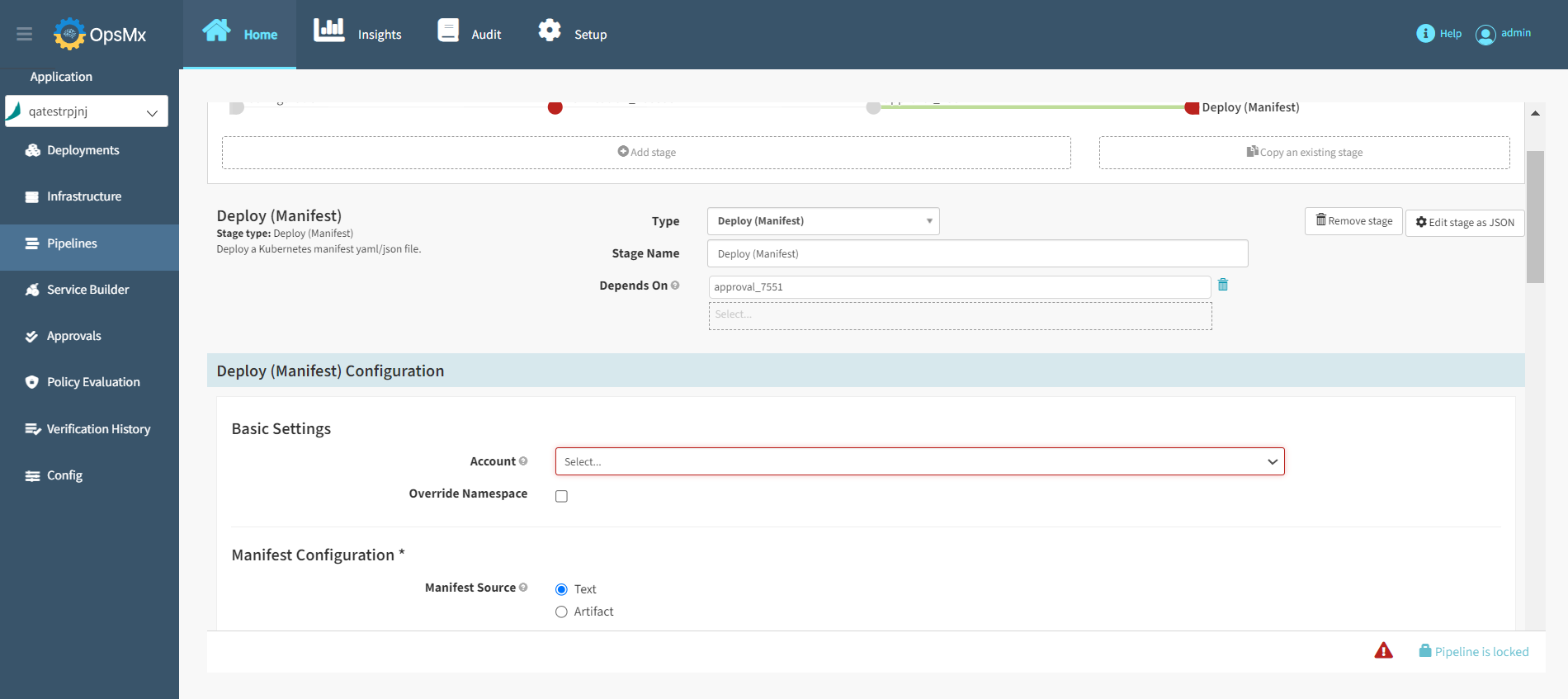
7. **Add your deployment stage**: Much like our steps to create a Kubernetes deployment guide, you can either add it as [**text** ](https://docs.opsmx.com/release-history/previous-releases/isd-4.0/knowledge-base/manage-pipelines/execute-pipelines-run-deployments/deployment-to-kubernetes-namespace-with-manifest-file)or as an [**artifact**](https://docs.opsmx.com/release-history/previous-releases/isd-4.0/knowledge-base/manage-pipelines/execute-pipelines-run-deployments/deployment-to-kubernetes-namespace-with-git-based-manifest)**.**
8. **Run your pipeline**: Verify to make sure that it works.