> For the complete documentation index, see [llms.txt](https://docs.opsmx.com/llms.txt). Markdown versions of documentation pages are available by appending `.md` to page URLs; this page is available as [Markdown](https://docs.opsmx.com/isd-spinnaker/opsmx-intelligent-software-delivery-isd-platform-spinnaker/user-guide/manage-pipelines/disable-pipeline.md).
# Disable Pipeline
If you disable a pipeline, it will prevent any triggers from firing. Also, manual execution of the pipeline is not possible for disabled pipelines.
Follow the steps below to disable a pipeline:
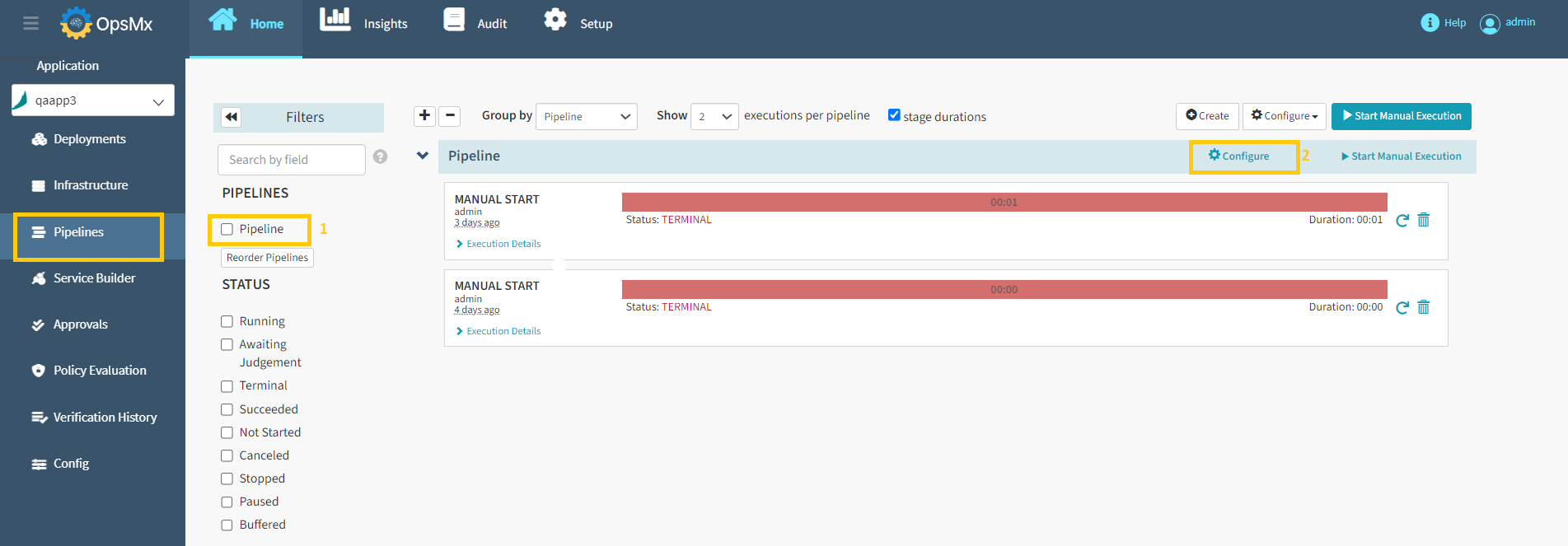
1. Click on the application from the [**application dashboard**](https://docs.opsmx.com/user-guide/dashboard/application-dashboard)**.** The **Pipelines** page with the details of all the pipelines for the selected application is displayed.
2. Select the **Pipeline** to be disabled and click **Configure.**
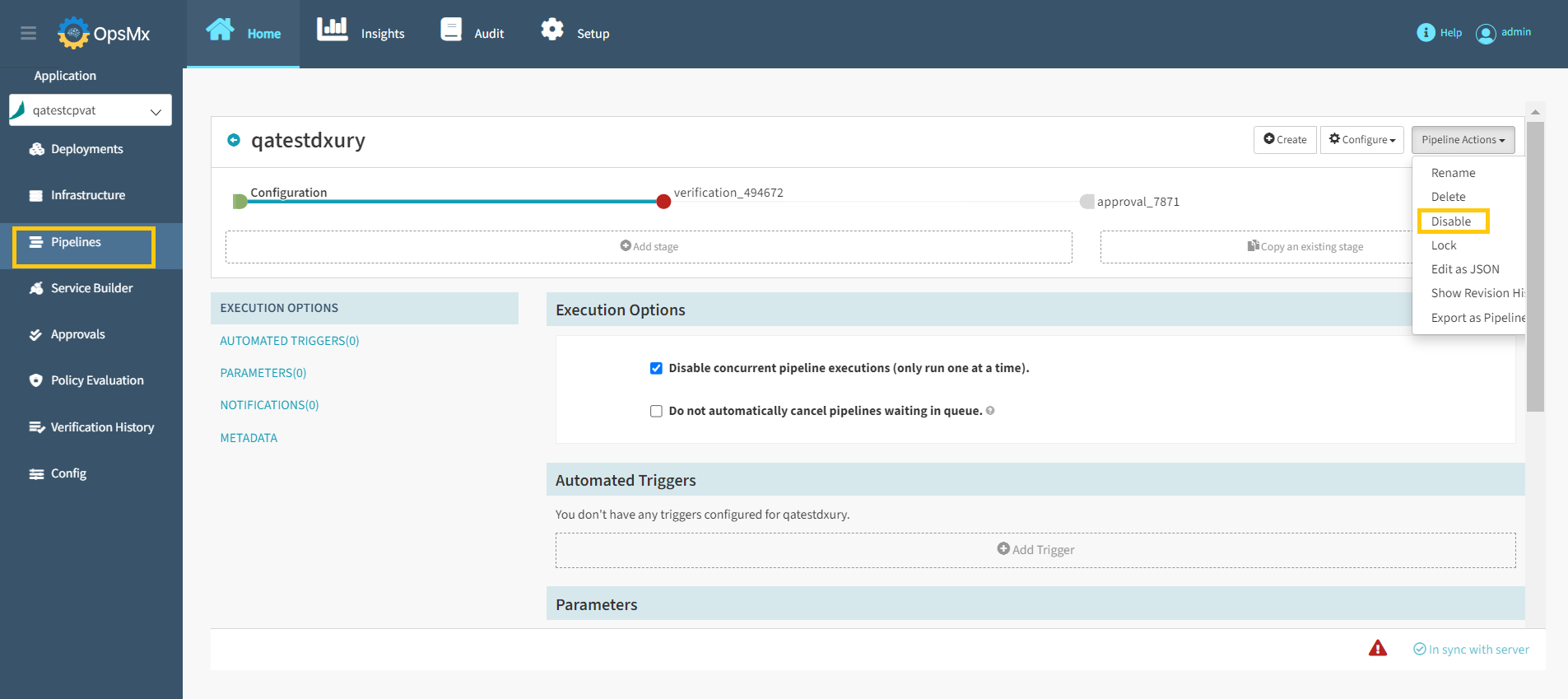
3. Select **Disable** option from the **Pipeline Actions** drop-down as shown below.
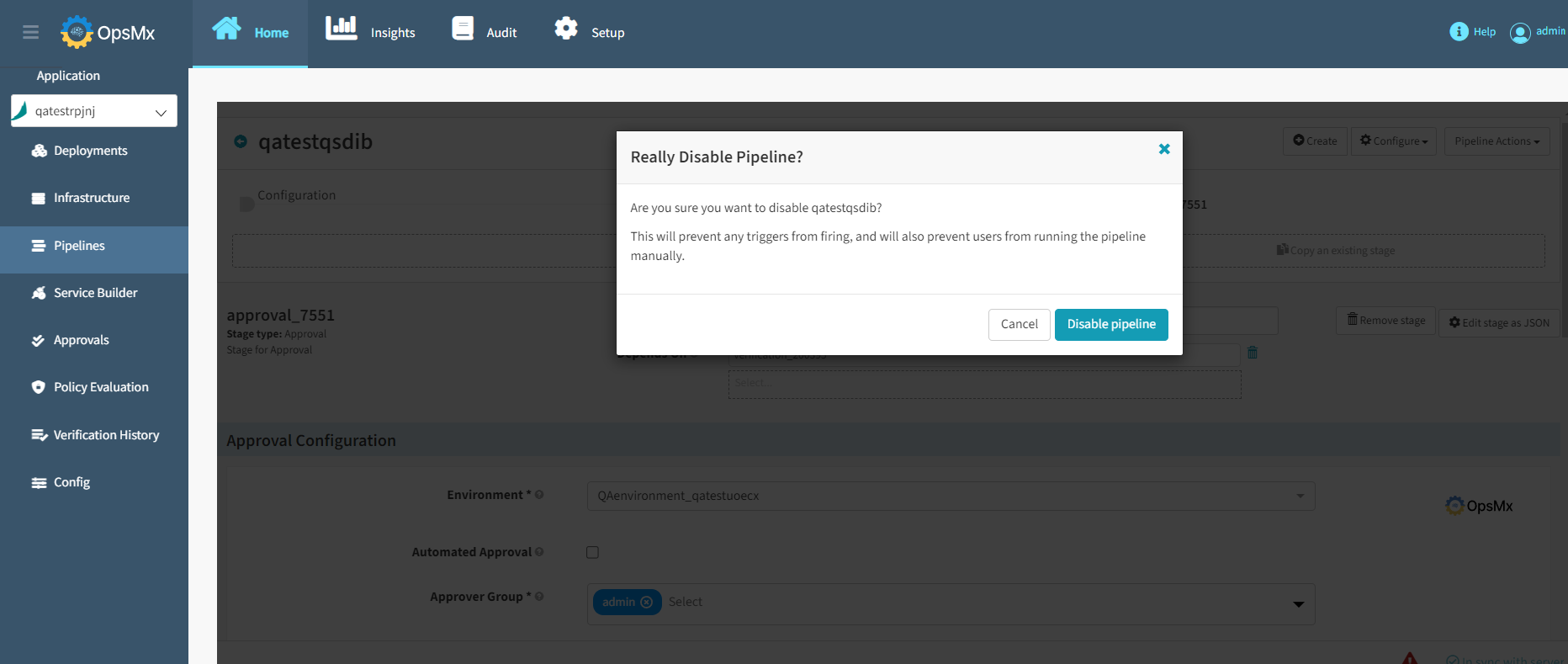
4. A popup will appear to confirm your pipeline disable request. Make sure that you have selected the correct pipeline name and click **Disable pipeline**.
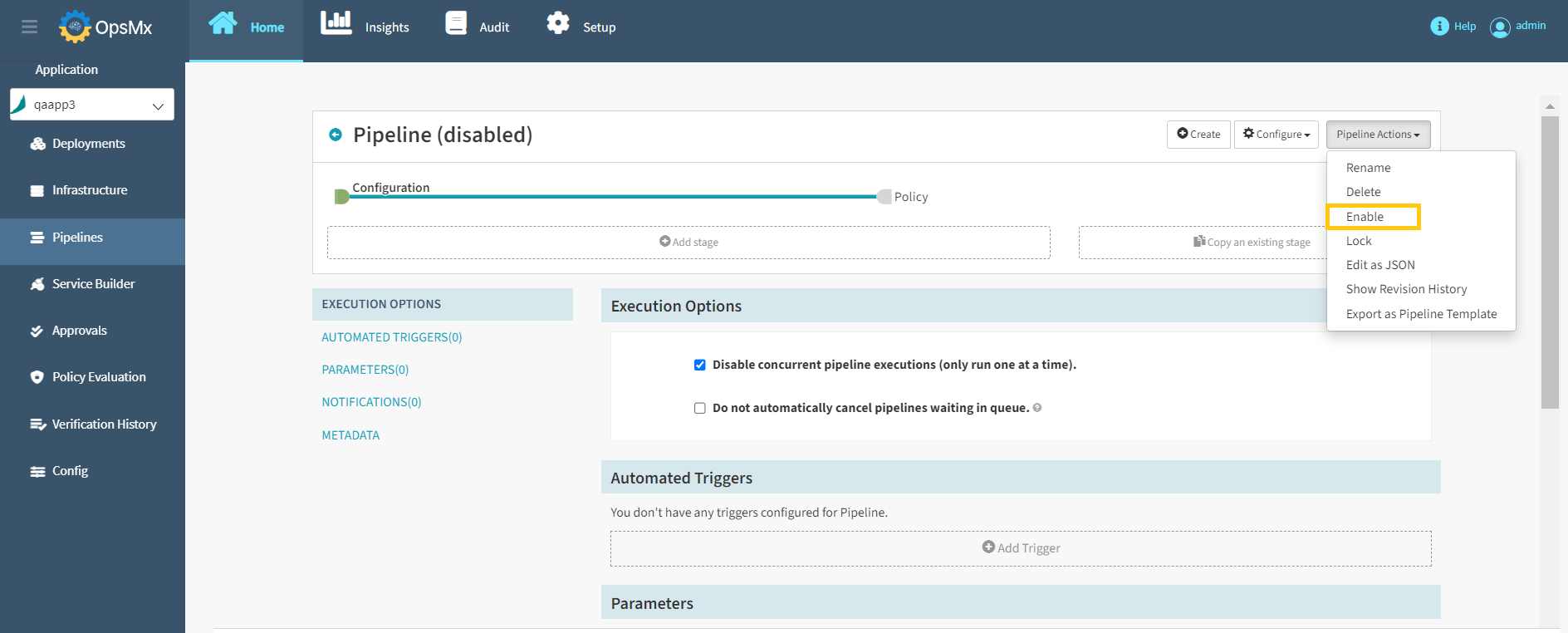
5. Now the selected pipeline is disabled. For the disabled pipelines, **Enable** option will be available under the pipeline action drop-down menu to enable it again as shown below.