> For the complete documentation index, see [llms.txt](https://docs.opsmx.com/llms.txt). Markdown versions of documentation pages are available by appending `.md` to page URLs; this page is available as [Markdown](https://docs.opsmx.com/isd-spinnaker/opsmx-intelligent-software-delivery-isd-platform-spinnaker/user-guide/manage-pipelines/add-trigger.md).
# Add Trigger
A trigger is a mechanism in a software application that indicates the completion of a particular process and then initiates the next process.
A CI-CD pipeline is a set of tasks that are executed in a specific order. Triggers play an important role in automating and enhancing the capabilities of these pipelines.
A pipeline trigger specifies when a pipeline should be run automatically. Many types of triggers are available such as Jenkins jobs, webhooks, CRON jobs, and even other pipelines. When you add a trigger to your pipeline, it means the pipeline will run whenever the triggering event occurs. It is worth noting that whether or not you have set up a pipeline trigger, you can always run your pipeline manually.
Follow the steps below to add a trigger:
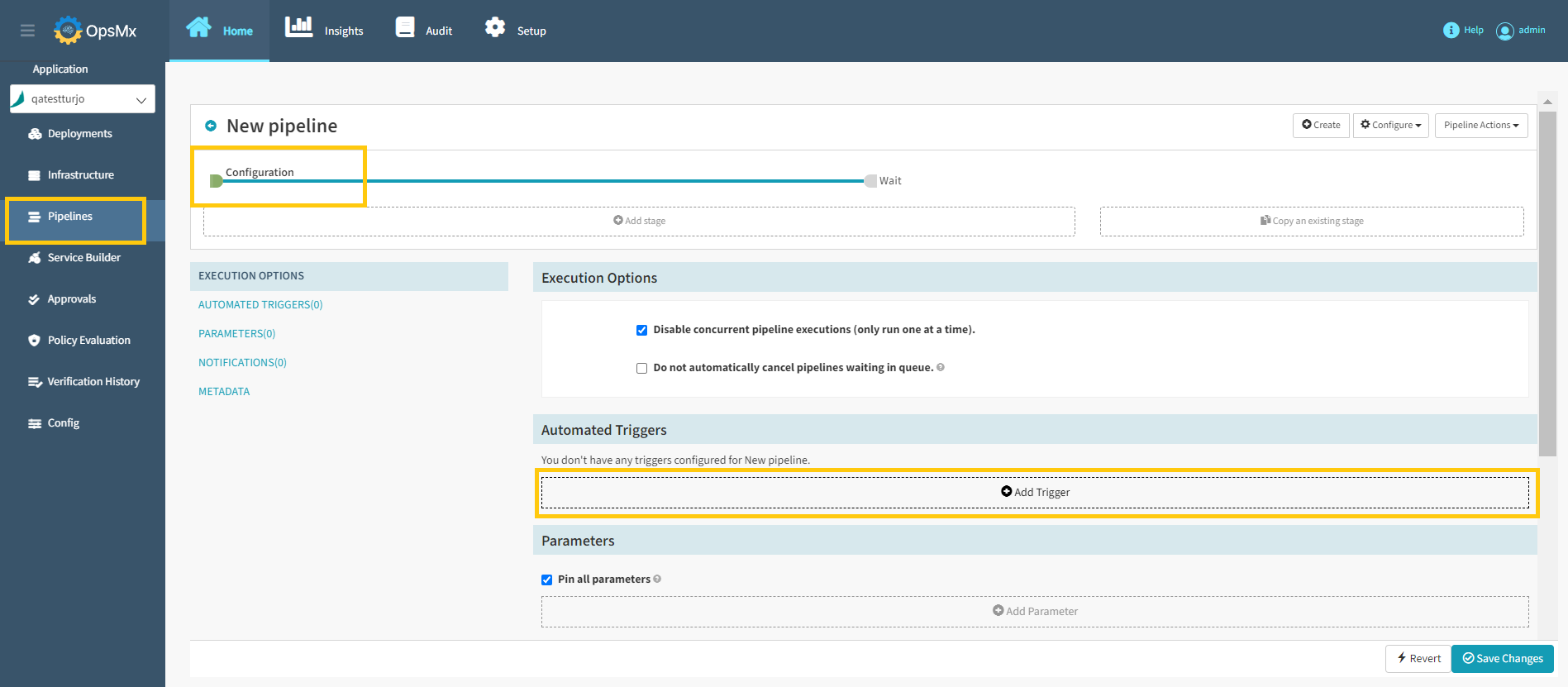
1. Make sure you are editing the **Configuration stage** of the pipeline and click **Add Trigger** button as shown below.
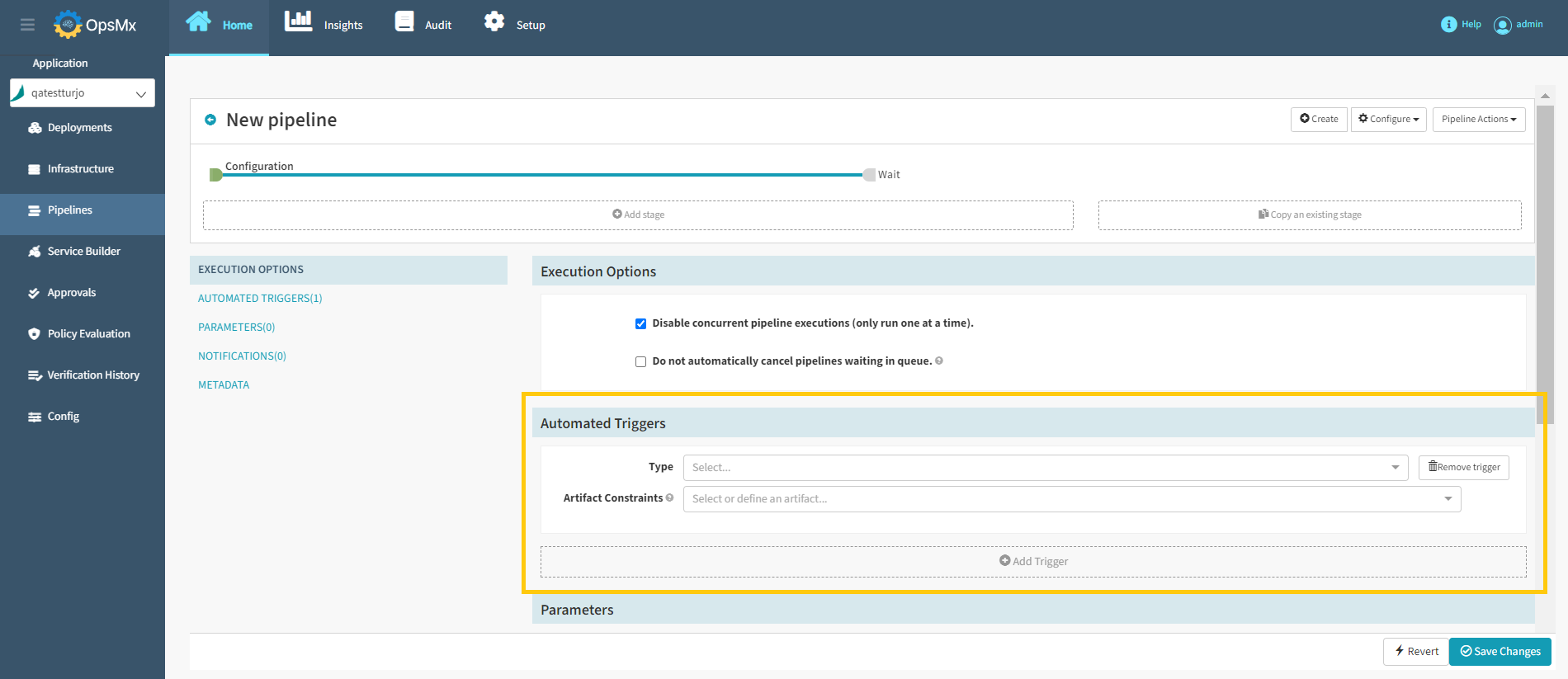
2\. Select the **Type of trigger** and the **Artifact Constraints** from the drop-down menu. Artifacts are required for the trigger to execute. Only one of the artifacts needs to be present for the trigger to execute.
**Available triggers are:**
* Artifactory
* Concourse
* CRON
* Git
* Helm chart
* Jenkins
* Nexus
* Pipeline
* Plugin
* Pub/Sub
* Travis
* Webhook
* Wercker
* Docker Registry
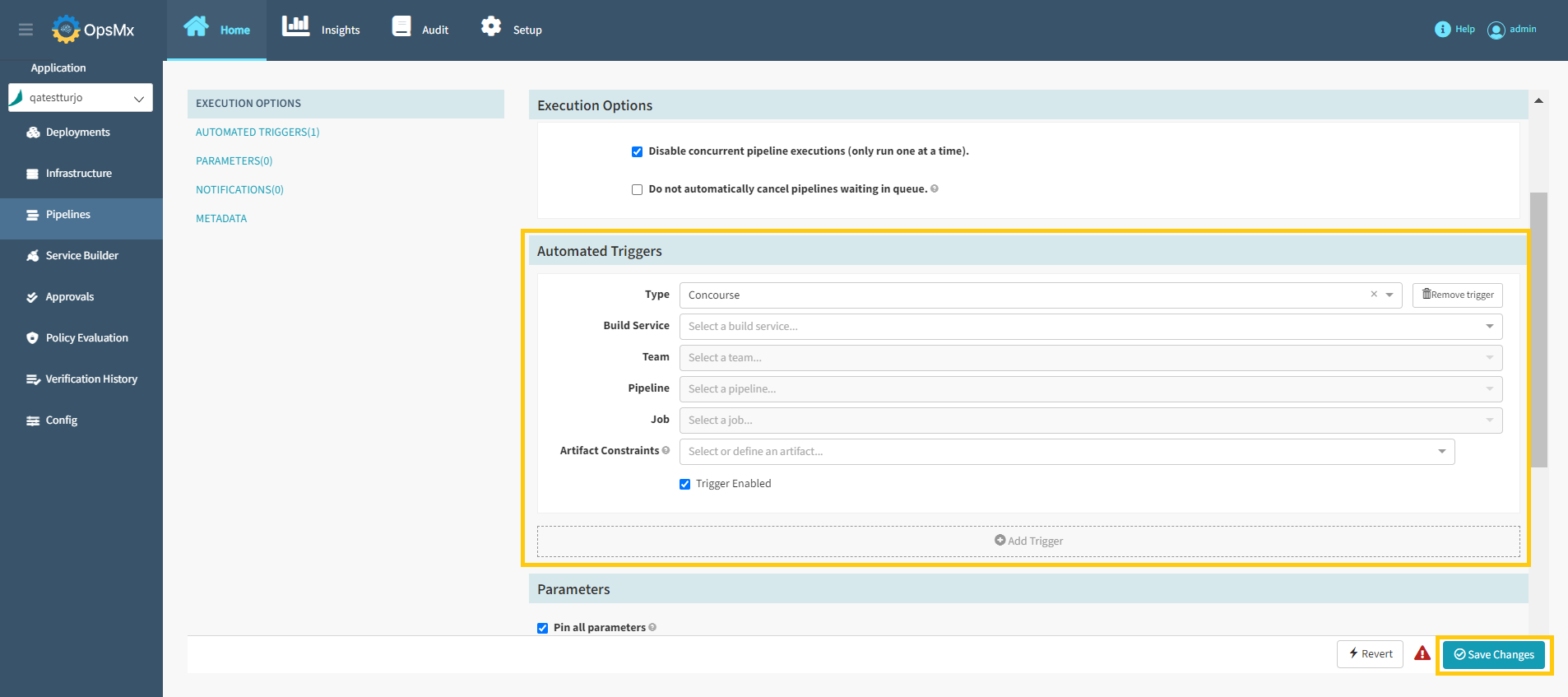
3\. Trigger Configuration options will appear based on the selected trigger. Here we have shown an example for the **Concourse** trigger.
4\. Update the required details in the above screen and click **Save Changes** to add a trigger.