> For the complete documentation index, see [llms.txt](https://docs.opsmx.com/llms.txt). Markdown versions of documentation pages are available by appending `.md` to page URLs; this page is available as [Markdown](https://docs.opsmx.com/isd-spinnaker/opsmx-intelligent-software-delivery-isd-platform-spinnaker/user-guide/manage-application/delete-an-application.md).
# Delete an Application
Follow the procedure to delete an application:
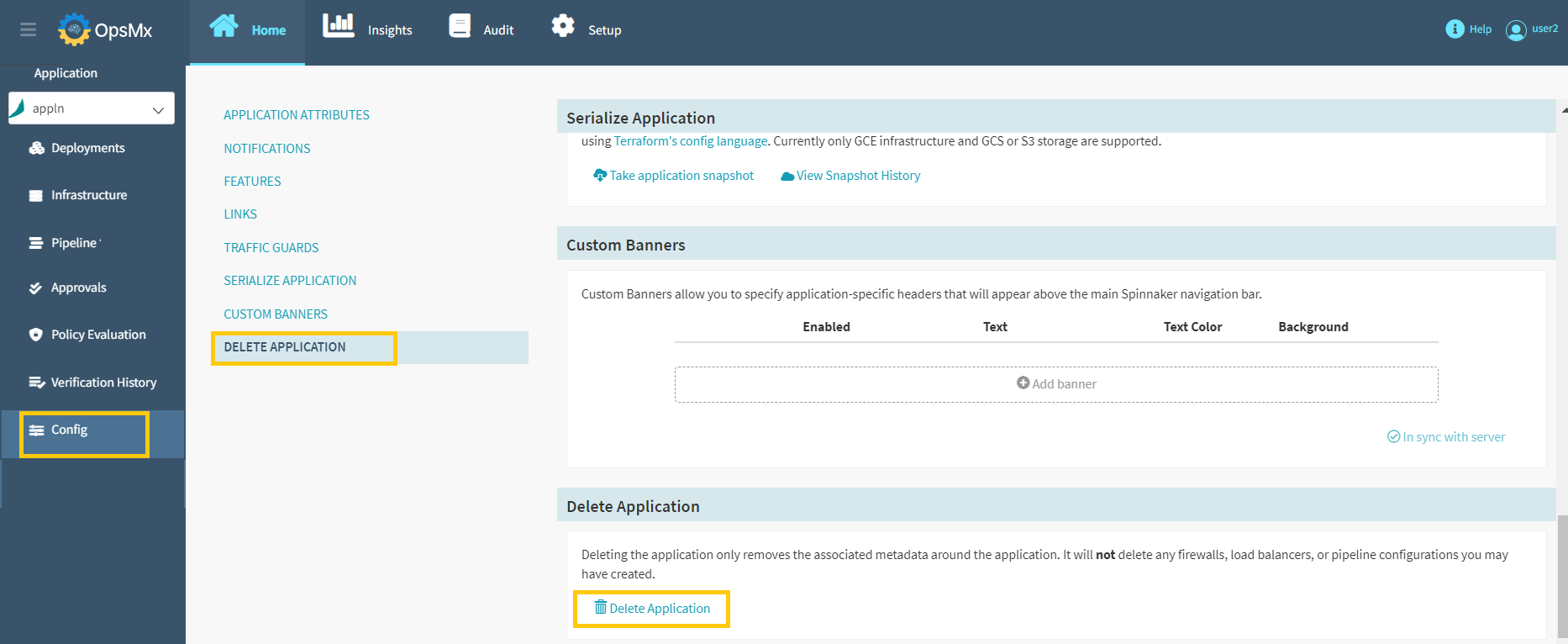
1. Click **Config** > **Delete Application** from the left side menu and then click **Delete Application** from the bottom of the page as shown in the image below.
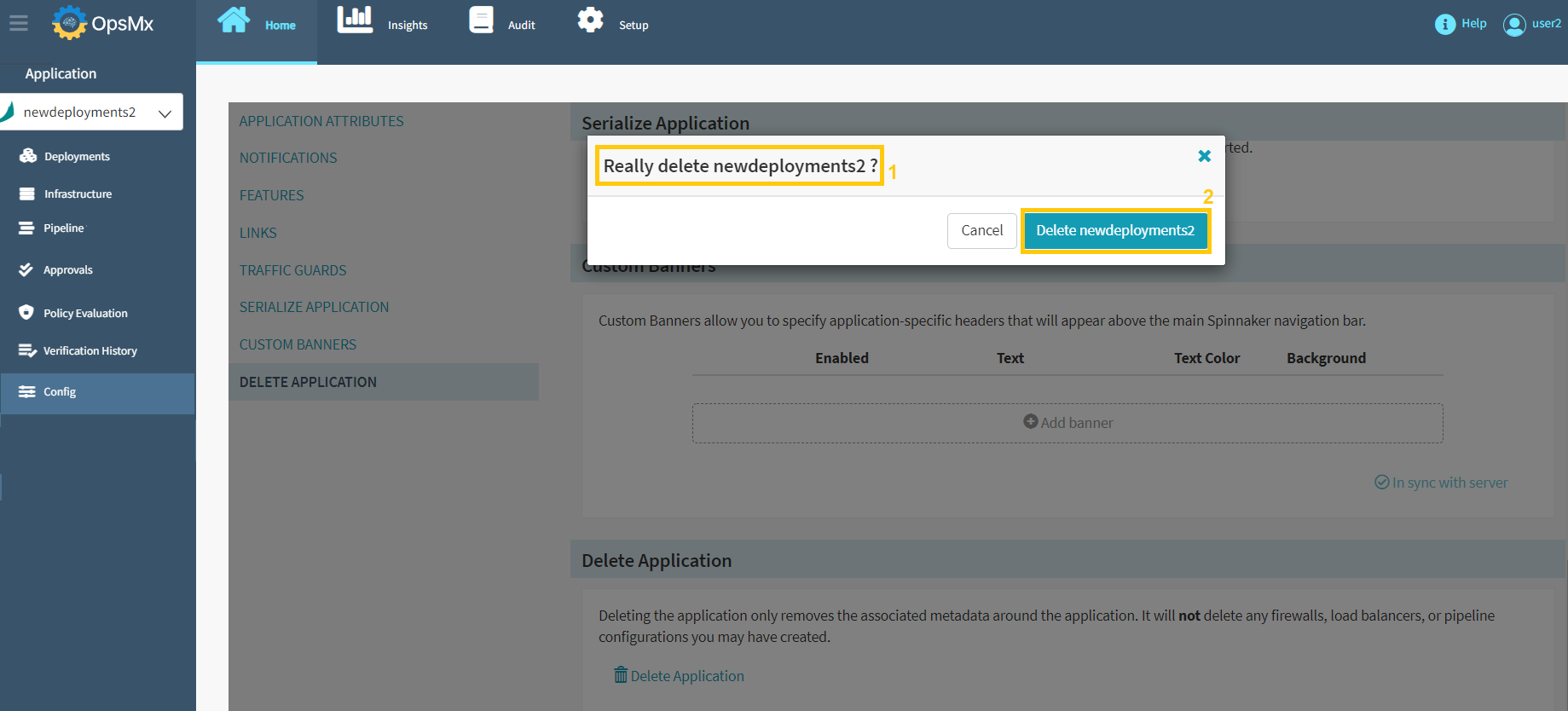
2\. The following screen appears to confirm your application deletion request. Make sure that you have selected the correct application name and click **Delete application**.
The application is deleted successfully.