> For the complete documentation index, see [llms.txt](https://docs.opsmx.com/llms.txt). Markdown versions of documentation pages are available by appending `.md` to page URLs; this page is available as [Markdown](https://docs.opsmx.com/isd-spinnaker/opsmx-intelligent-software-delivery-isd-platform-spinnaker/user-guide/data-sources/available-integrations/governance.md).
# Governance
### JIRA
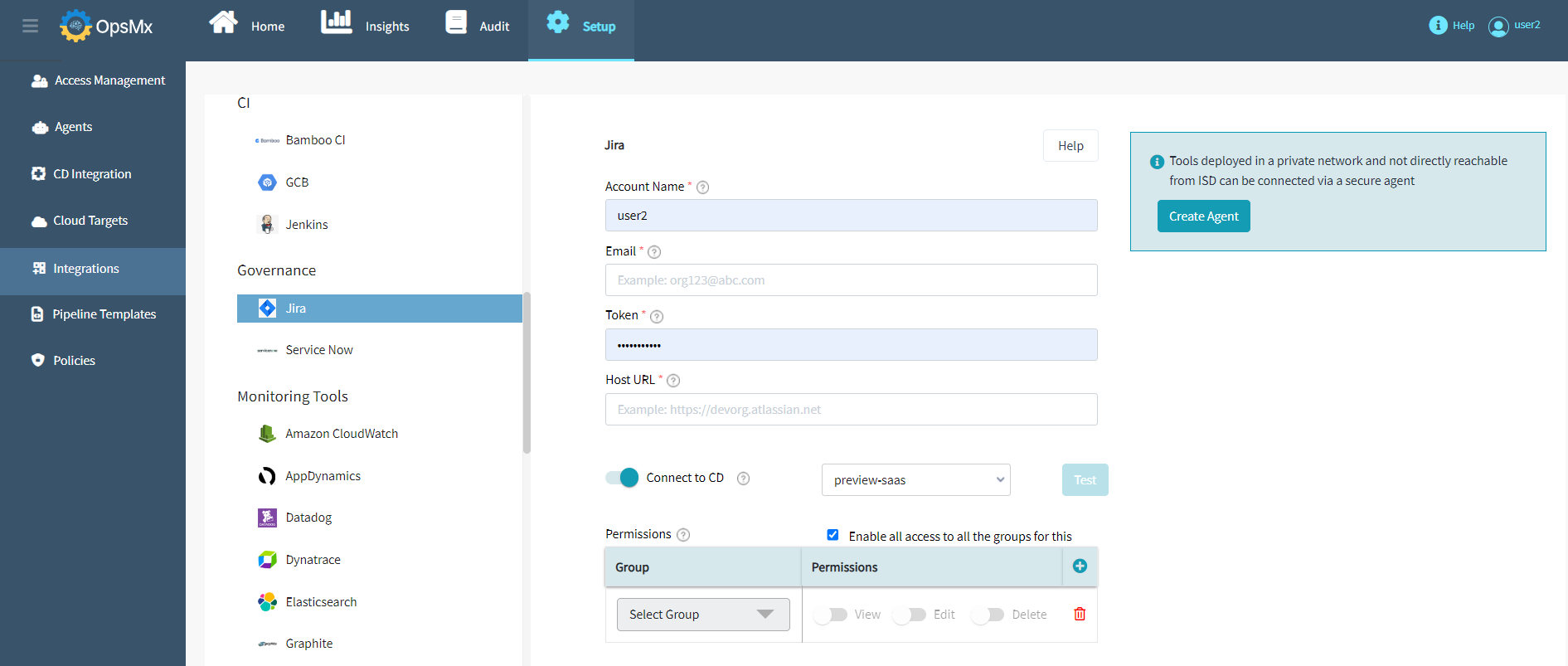
The following figure depicts the information to be provided to add **JIRA** as an integration.
Following are the fields:
* **Account Name**: Name of the JIRA account to operate on
* **Email**: Provide the email ID of the Atlassian user
* **Token**: Provide the password of the Atlassian user
* **Host URL**: Provide Atlassian Host URL (for both Cloud or On-prem Atlassian)
* **Connect to CD**: Enable the selection & Select the spinnaker instance you want to associate this account to
* **Group and Permissions**: To enable access to all user groups, check the **Enable all access to all the groups for this** checkbox. To provide access to only selected user groups, uncheck this checkbox and select the required users from the **Select Group** drop down and enable the needed permissions like **Edit**, **View** or **Delete**.
### **ServiceNow**
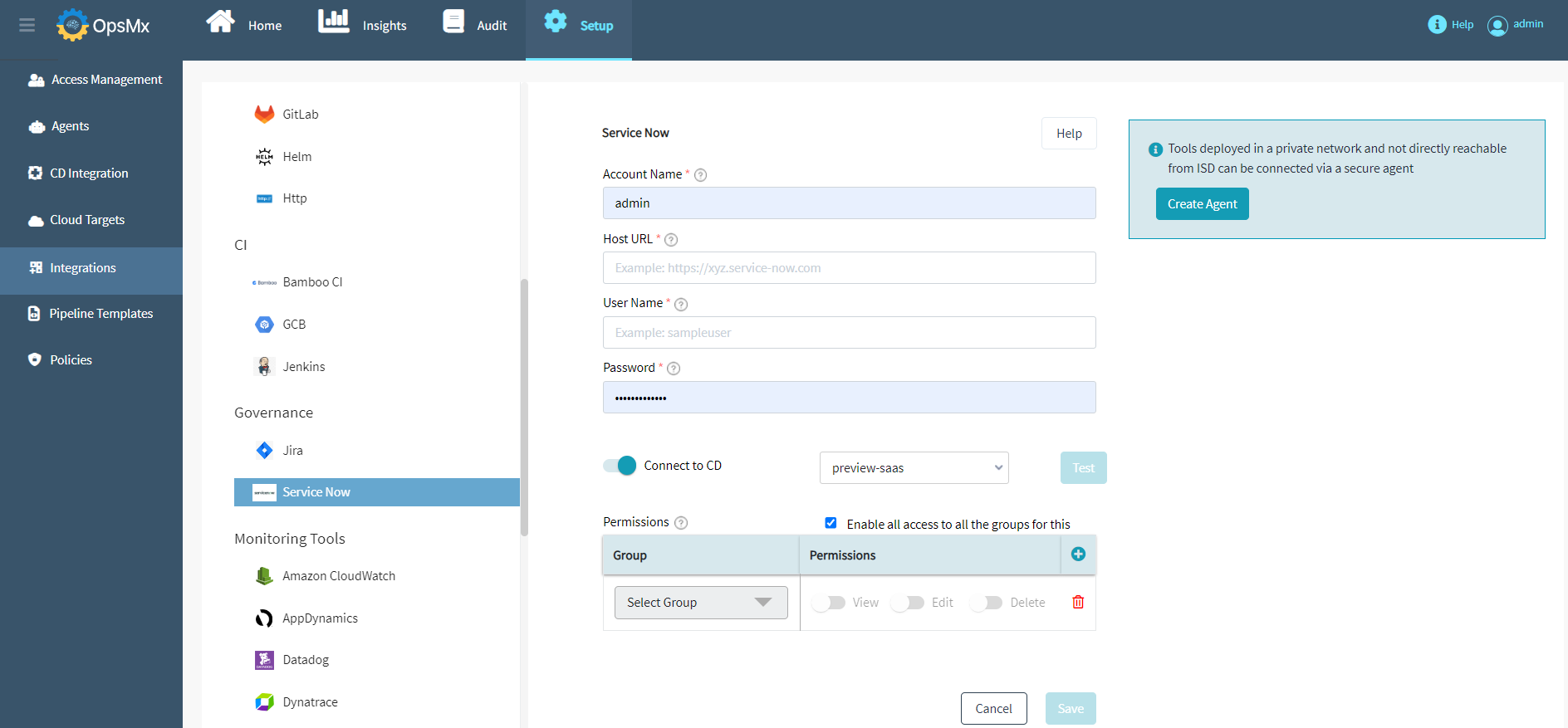
The following figure depicts the information to be provided to add **ServiceNow** as an integration.
Following are the fields:
* **Account Name**: Name of the JIRA account to operate on
* **Host URL**: Provide Atlassian Host URL (for both Cloud or On-prem Atlassian)
* **User Name:** Provide the username of the ServiceNow user
* **Password:** Provide the password of the ServiceNow user
* **Connect to CD**: Enable the selection & Select the spinnaker instance you want to associate this account to
* **Group and Permissions**: To enable access to all user groups, check the **Enable all access to all the groups for this** checkbox. To provide access to only selected user groups, uncheck this checkbox and select the required users from the **Select Group** drop down and enable the needed permissions like **Edit**, **View** or **Delete**.